The best microphones for streaming range from simple USB desk mics to wireless and XLR setups with more control. Choose by how you stream, your desk space, and whether you want plug-and-play simplicity or room to expand your audio setup.
Quick Top Products
SteelSeries Alias USB Mic
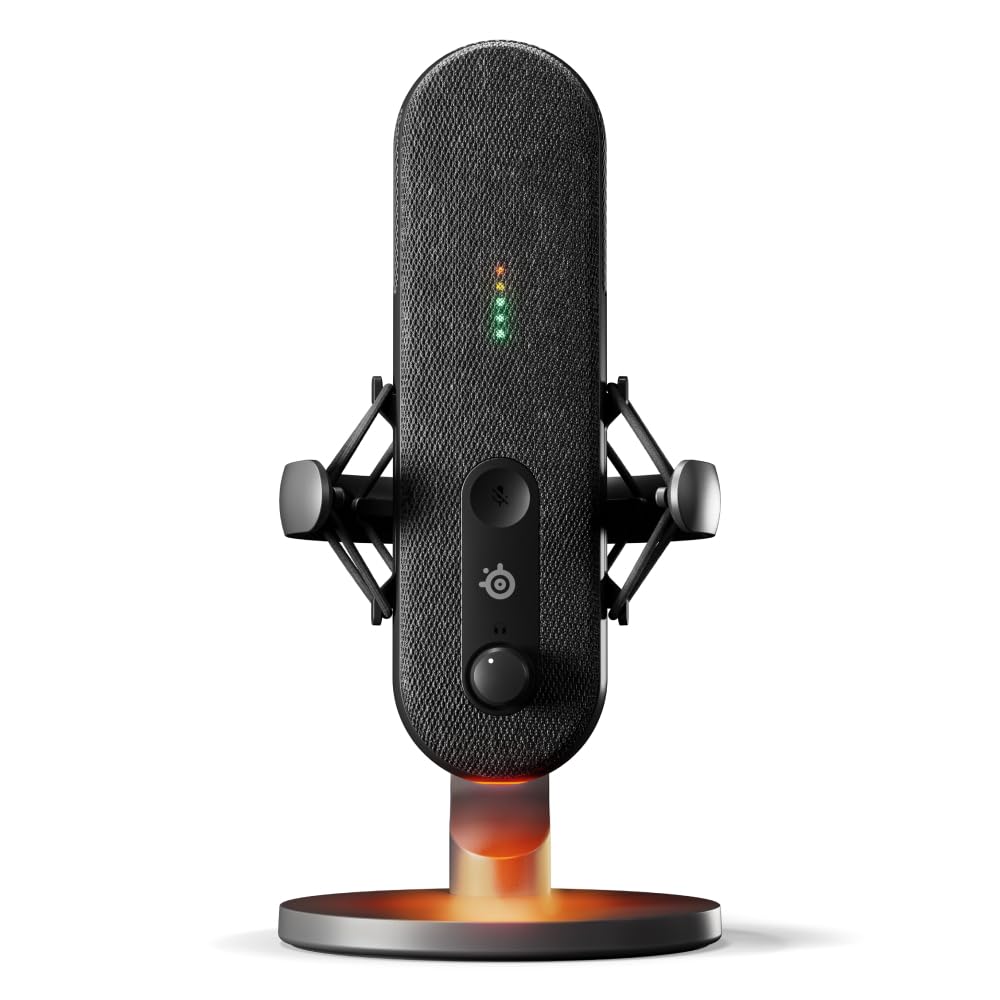
- Cardioid mic with a capsule described as up to three times bigger than other mics.
- Sonar software includes mixing, app routing, and AI noise cancellation.
- LED lighting shows audio levels and mute status.
Best For: Streamers who want on-mic level visibility and software based audio tools.

SteelSeries Alias Pro Kit
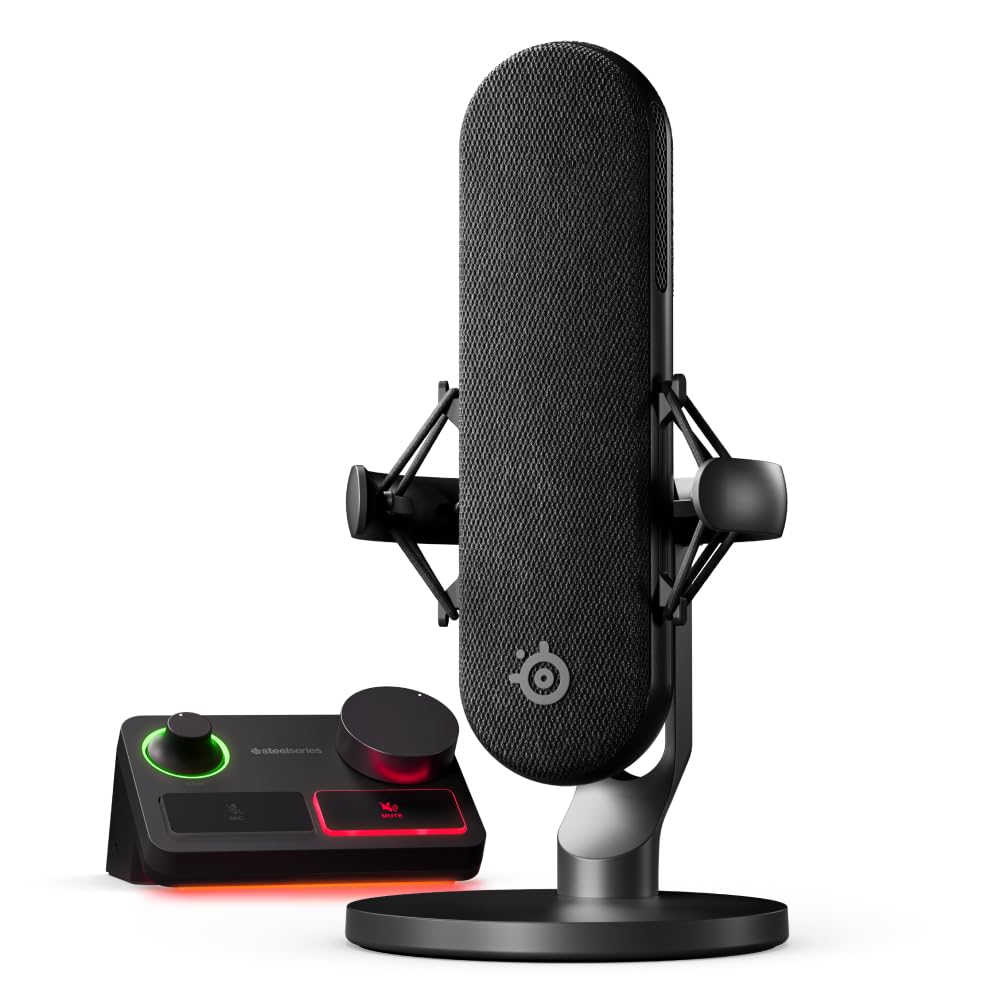
- The package combines an XLR mic and stream mixer.
- The mixer supports single or dual PC use.
- Sonar includes mixing and app routing features.
Best For: Creators building an XLR setup who want a mic and stream mixer in one kit.
MAONO PD200XS
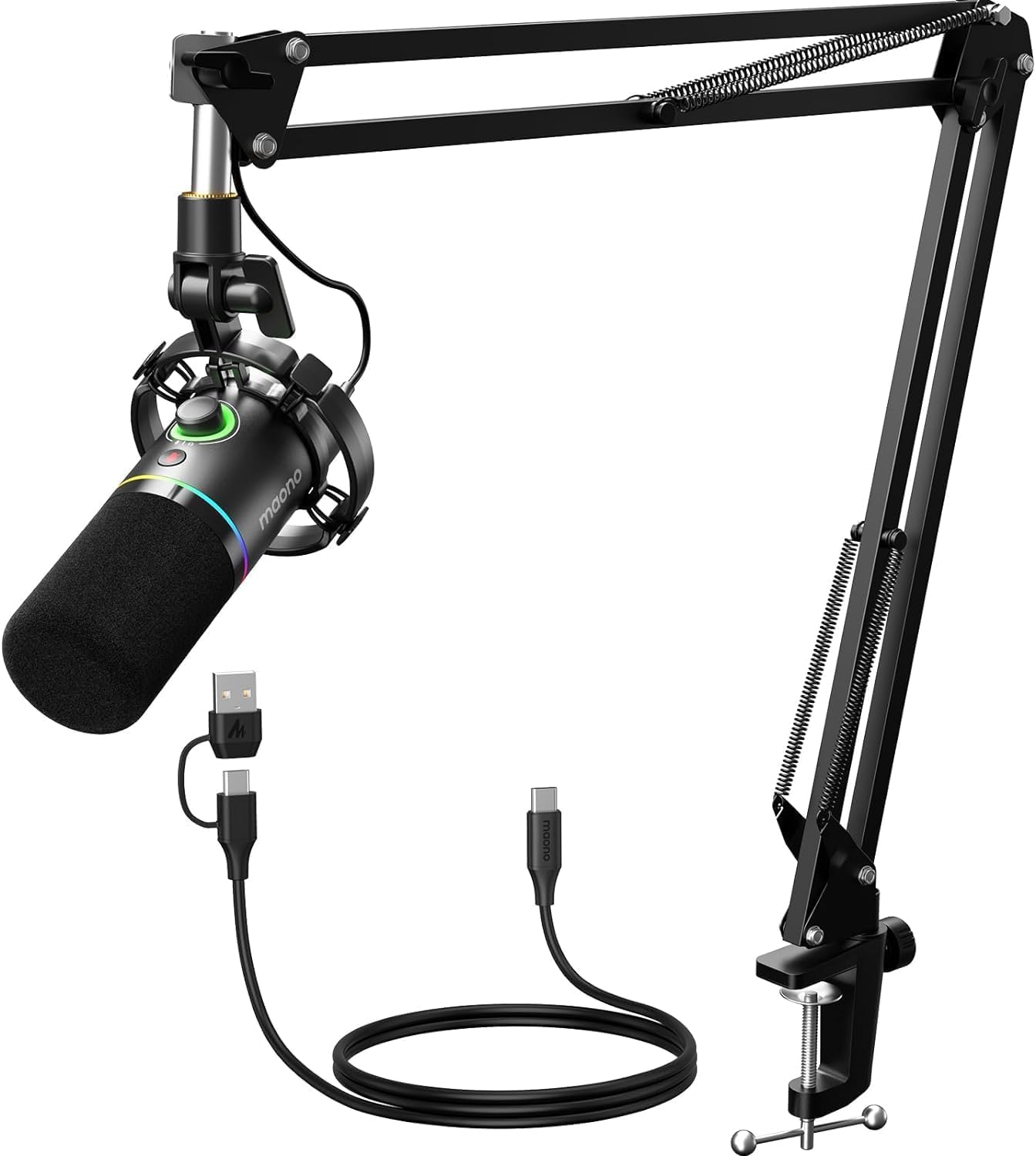
- USB and XLR connections support computer and interface setups.
- MAONO Link offers EQ, limiter, and compressor adjustment over USB.
- The kit includes an adjustable microphone boom arm.
Best For: Streamers wanting a dynamic mic, boom arm, and USB software control.
MAONO DGM20S
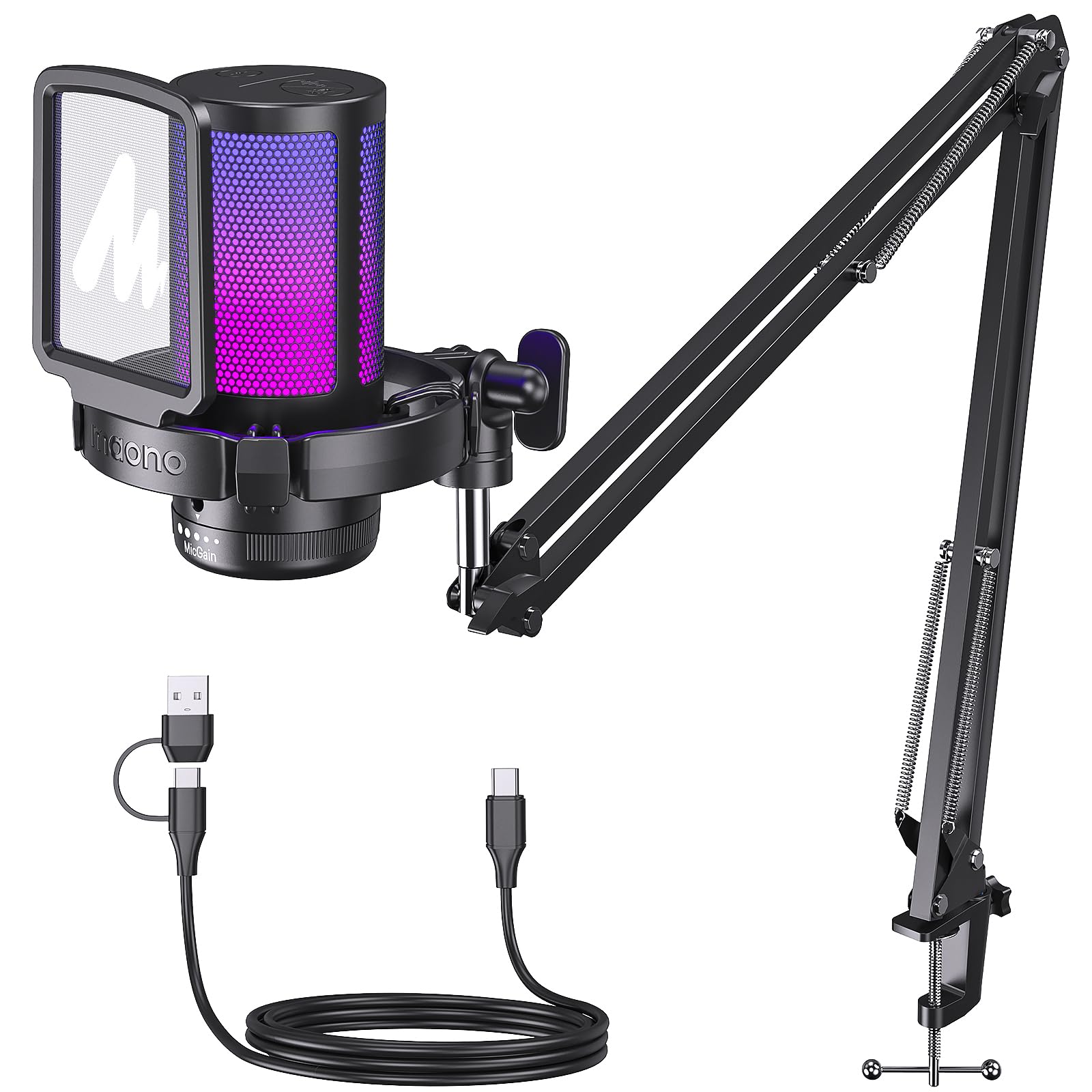
- One-click noise cancellation and cardioid pickup focus on voice capture.
- The arm can move in close or fold away.
- The mic supports zero-latency monitoring.
Best For: USB streamers who want a movable boom arm and one-click noise cancellation.
FIFINE AmpliGame AM8T White Kit
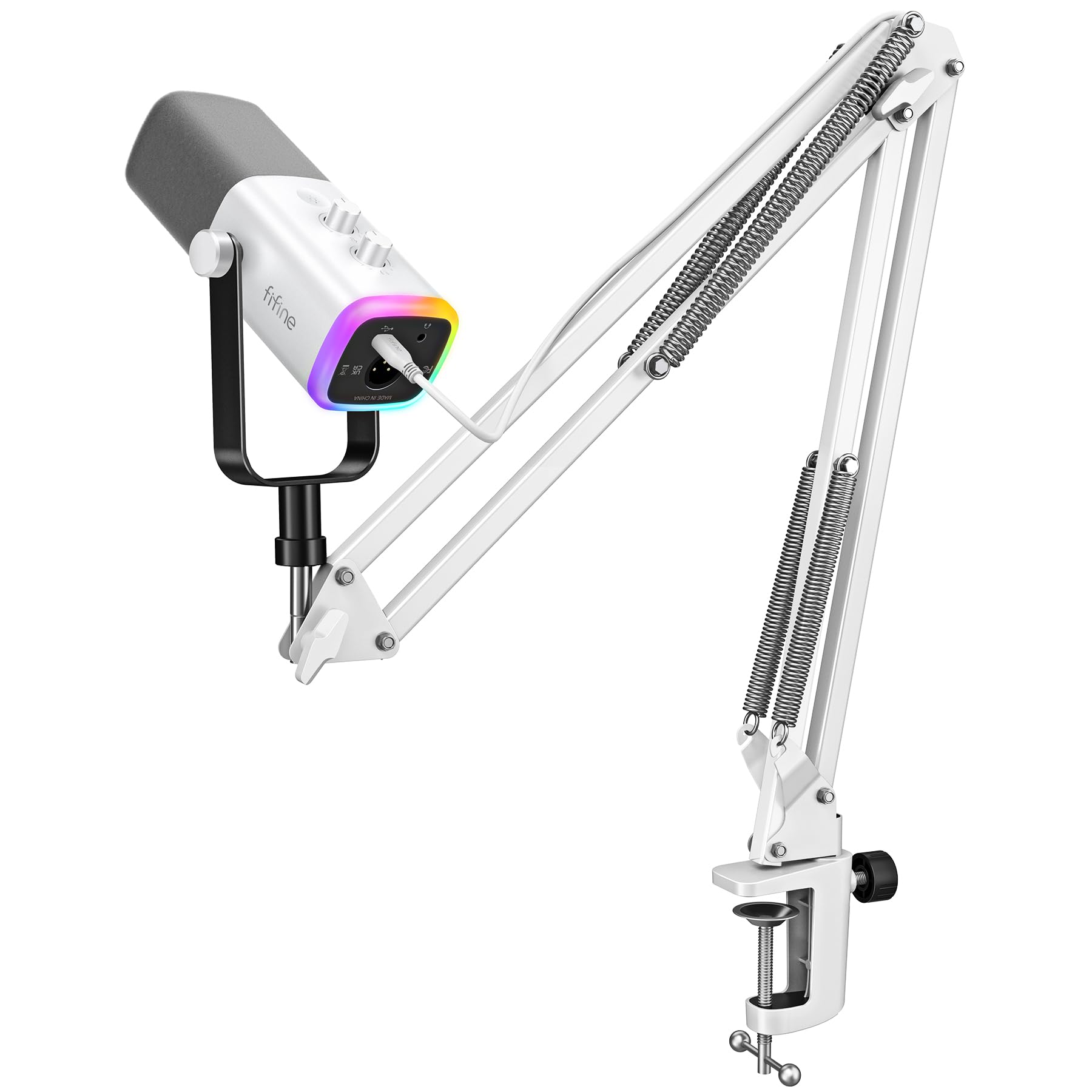
- The kit supports USB and XLR connections.
- A boom arm stand is included.
- The mic uses a dynamic cardioid pickup pattern.
Best For: Streamers wanting a white dynamic mic kit with both USB and XLR options.
FIFINE AmpliGame AM8T
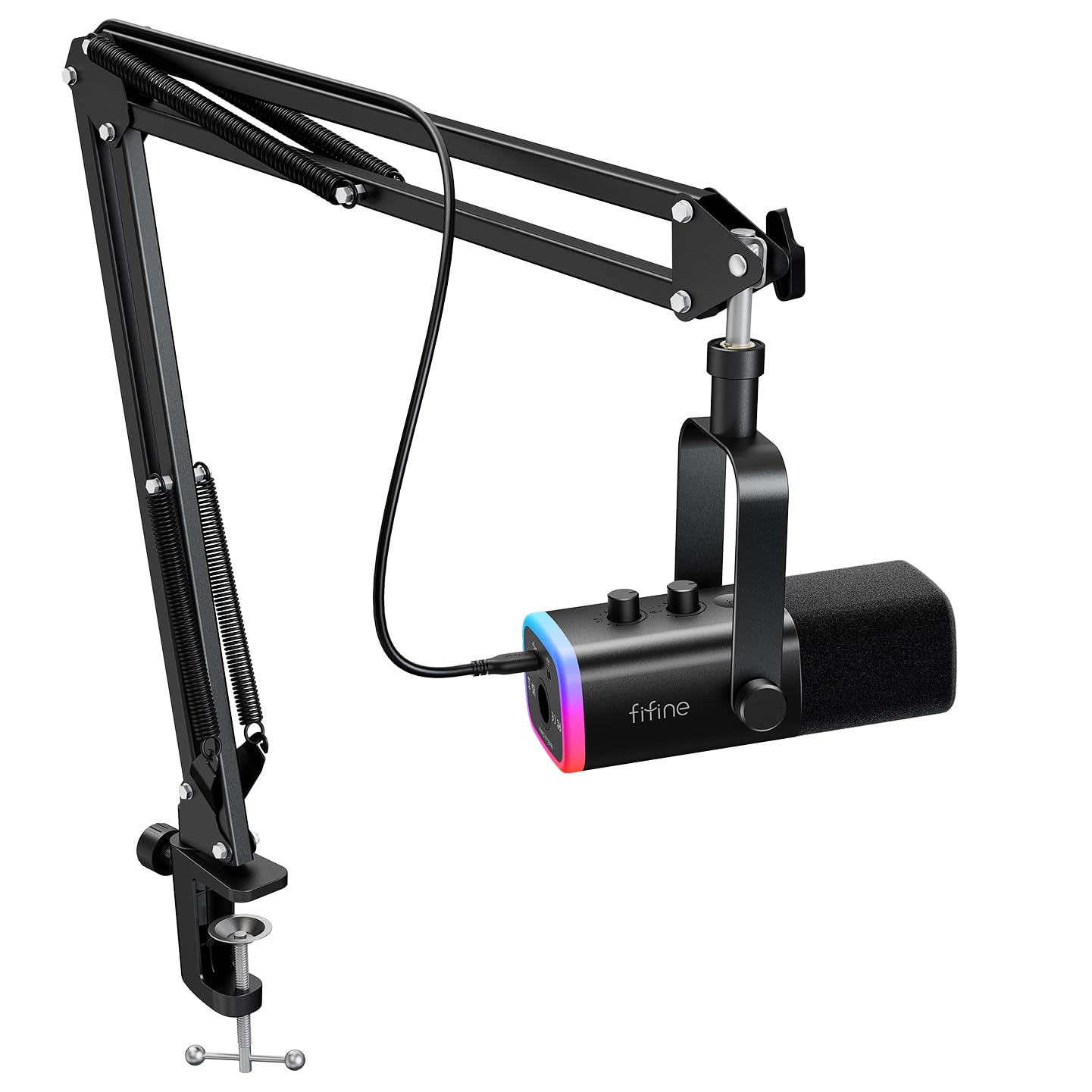
- The kit includes a dynamic mic and boom arm stand.
- USB and XLR connections are supported.
- It has a headphone jack for real-time monitoring.
Best For: PC streamers seeking an included arm, headphone monitoring, and USB/XLR connectivity.
FIFINE AmpliTank K688
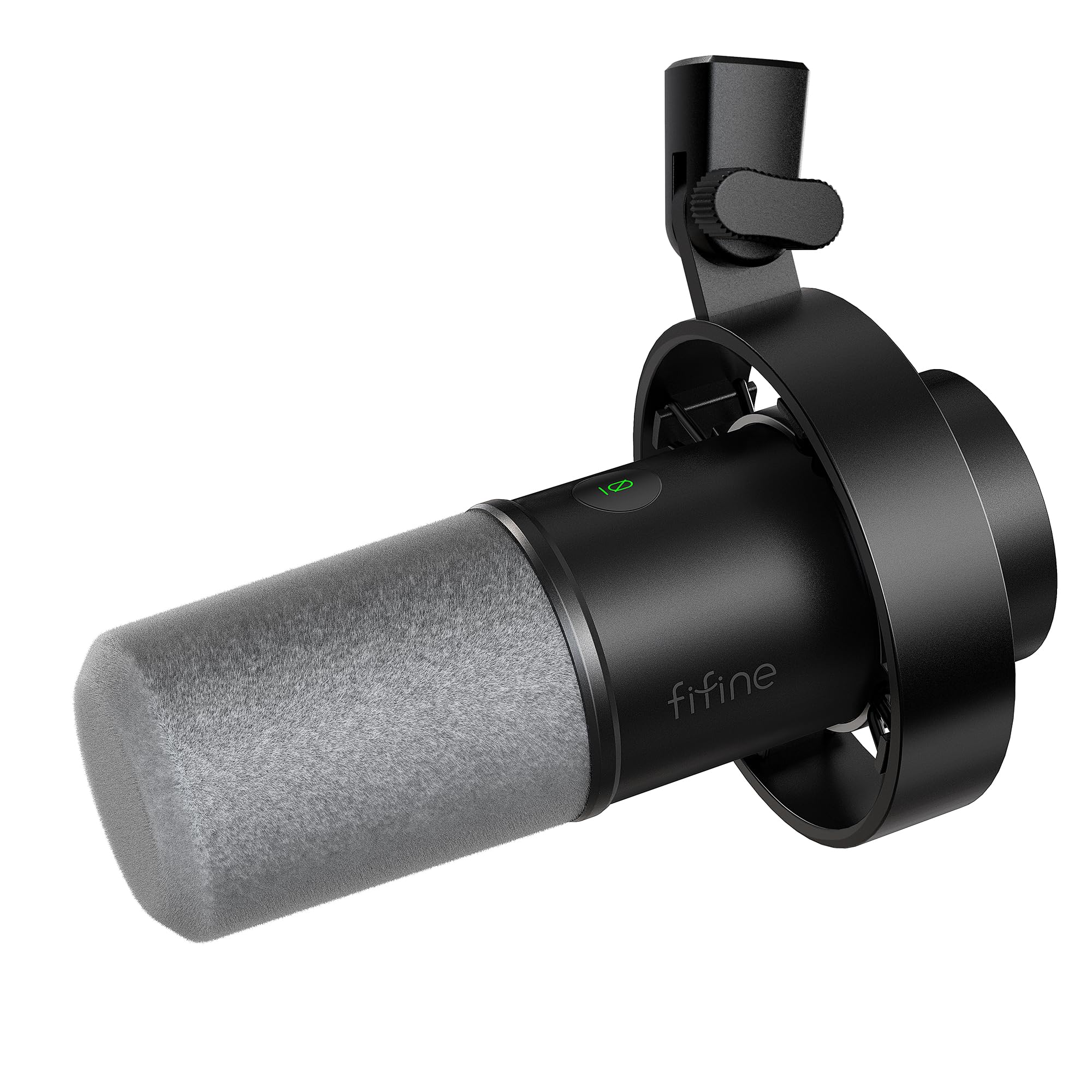
- The mic supports XLR and USB connections.
- It has tap-to-mute and a gain knob over USB.
- A windscreen and shock mount are included.
Best For: Streamers wanting a close-use dynamic mic with USB monitoring and an XLR upgrade path.
MAONO PD100W
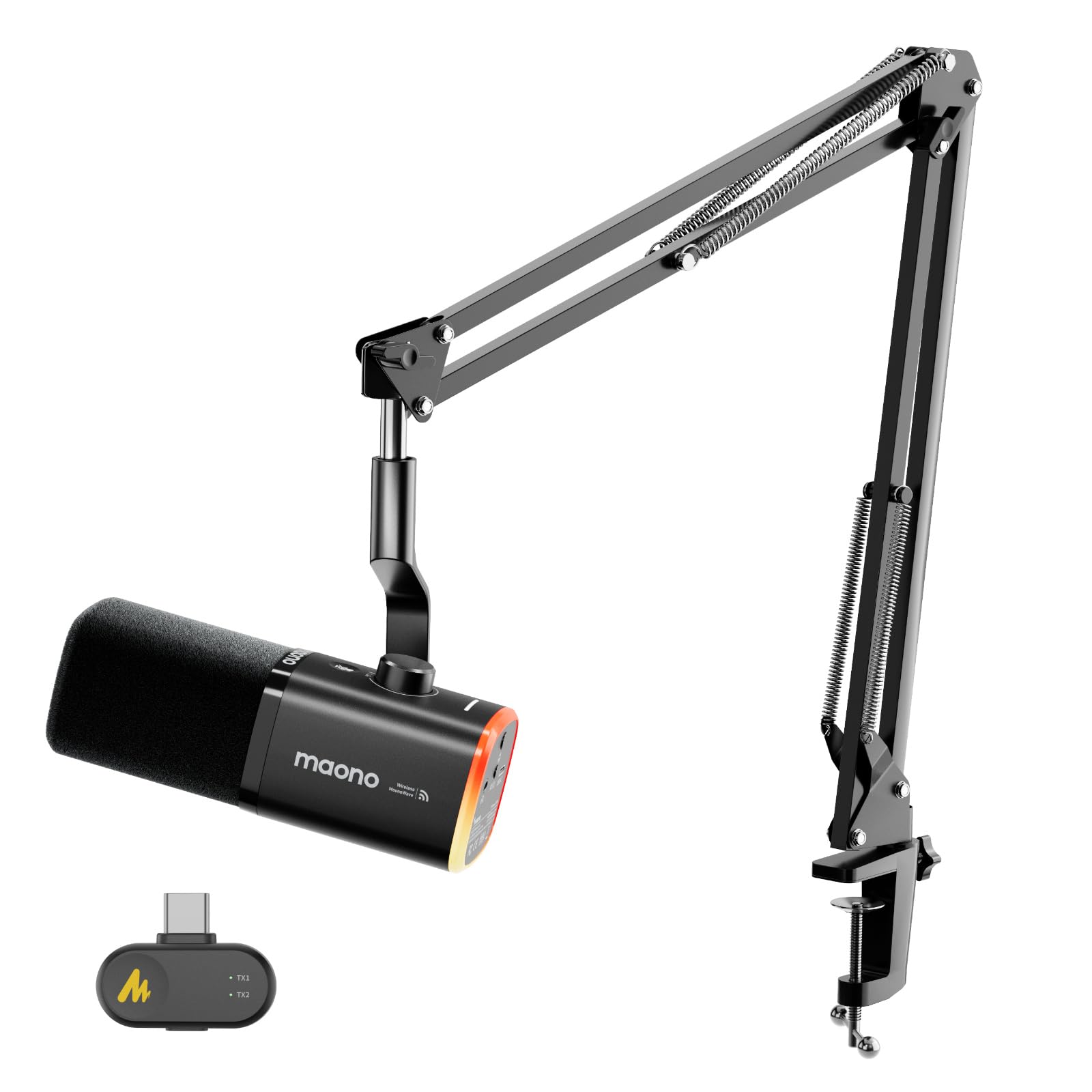
- It offers wireless and USB connection modes.
- The microphone uses a dynamic capsule and cardioid pickup.
- It has three adjustable noise cancelling levels.
Best For: Streamers who want a wireless dynamic mic with USB fallback and a boom arm.
FIFINE K658
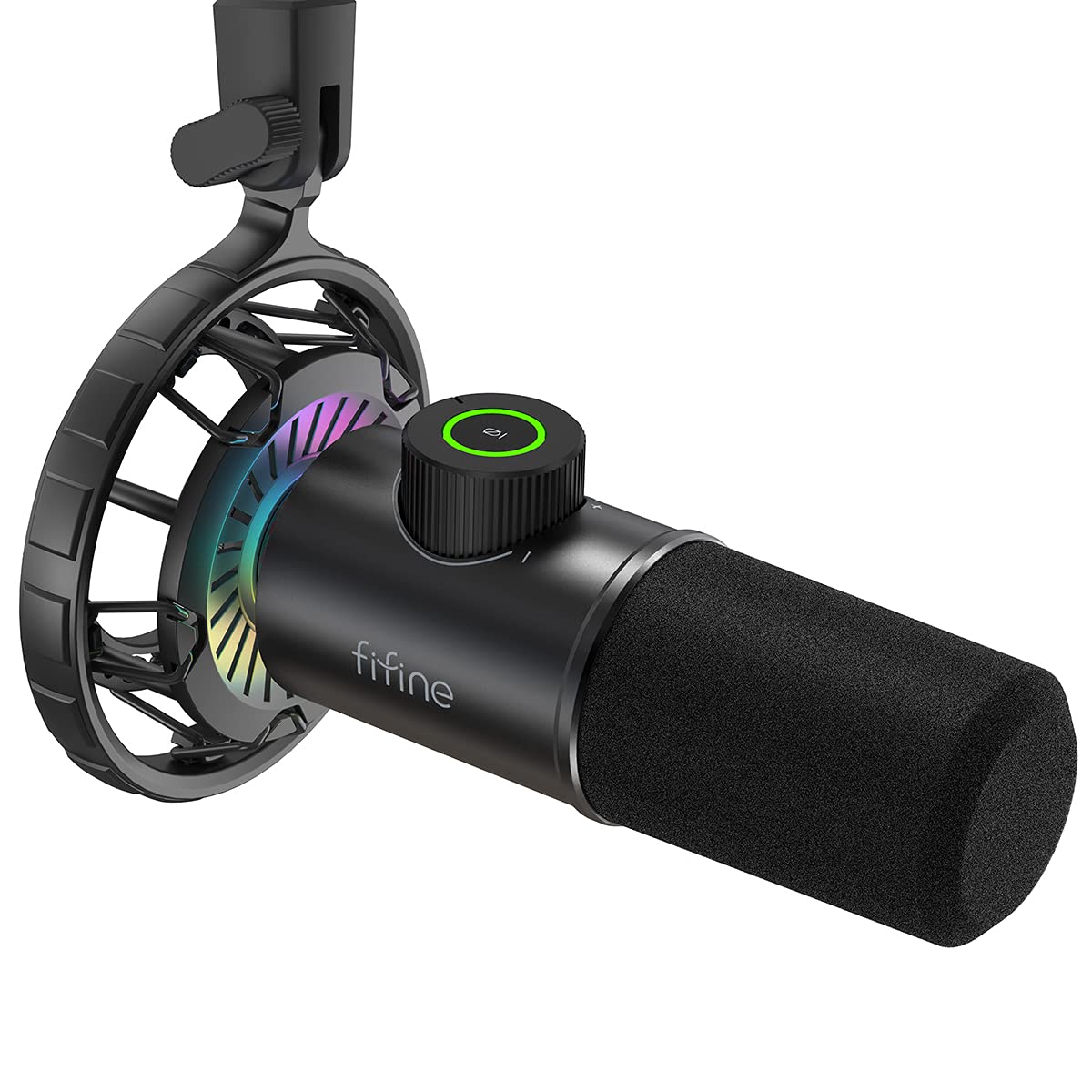
- The dynamic USB mic uses cardioid pickup.
- Tap mute and the LED indicator show mic status.
- The mic supports headphone monitoring.
Best For: Streamers who want a dynamic USB mic with a mute indicator and real-time monitoring.
MAONO DM40
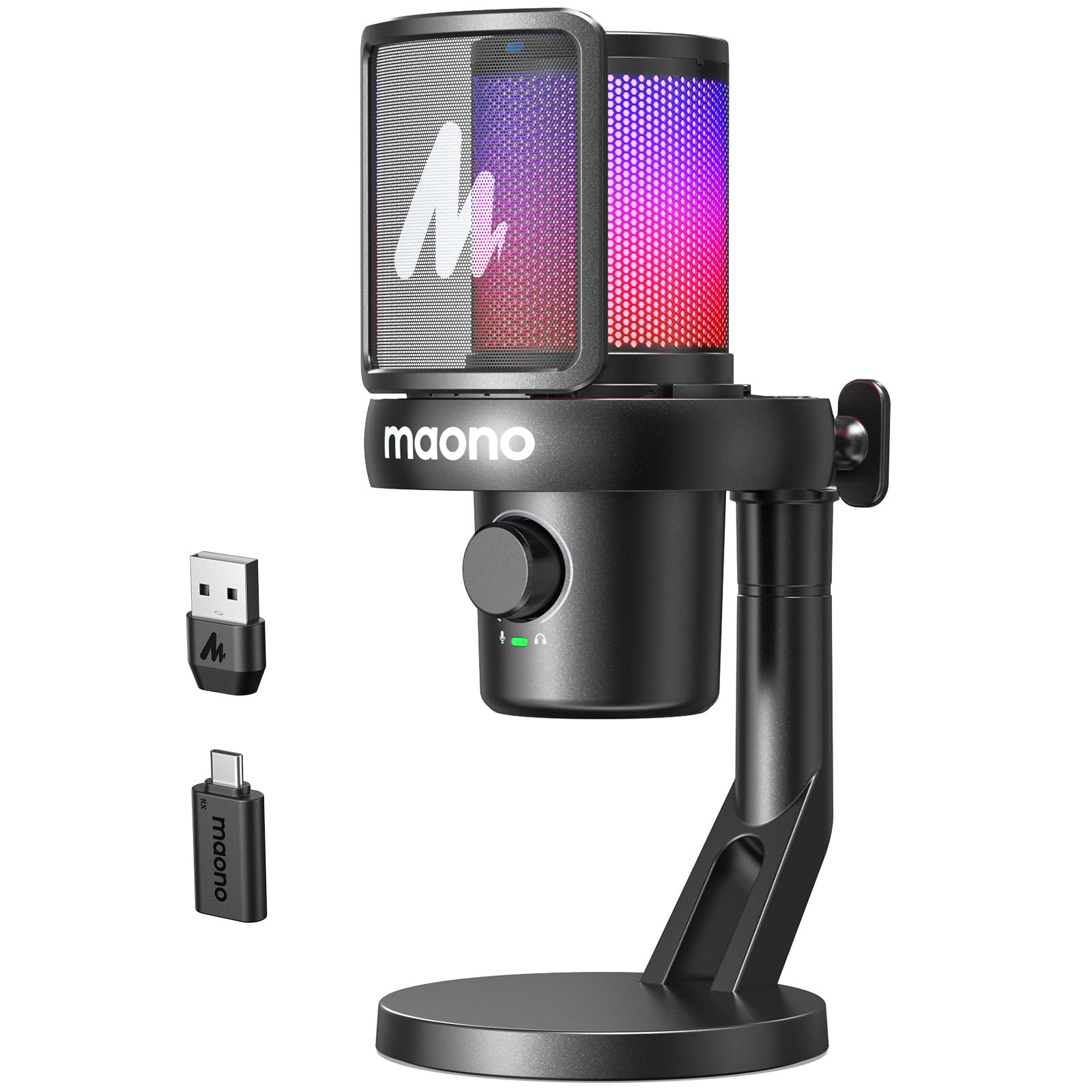
- Wireless and wired connection modes are available.
- Battery life is described as up to 40 hours.
- The app offers scene presets and AI voice changing.
Best For: Streamers wanting wireless freedom, noise control levels, and software presets.
Software and Level Monitoring
SteelSeries Alias USB Mic for PC — 3x Bigger Capsule for Gaming, Streaming and Podcasting — Sonar for Streamers Audio Software — AI Noise Cancelling — LED Mute & Level Monitoring — Shock Mount
The Alias USB microphone pairs a cardioid pickup pattern with a capsule described as up to three times bigger than other mics. Its Sonar software adds mixing, app routing, and AI noise cancellation, while LED lighting on the mic shows audio levels and mute status.
An integrated shock mount helps reduce unwanted vibration, and the mic works with its included desktop stand or a separately sold boom arm. This is a straightforward USB choice for streamers who want monitoring and software control together.
Check whether the desktop stand suits your setup or whether you will need to buy a boom arm separately.
Best For: Streamers who want on-mic level visibility and software based audio tools.
| Pros | Cons |
|---|---|
|
|
Choose the Alias if you want a USB mic with visible level and mute status plus software tools for routing audio. Its included desktop stand avoids a separate arm purchase if that position works for you.
If you prefer a boom arm, account for that as an extra item. The product information gives no sampling rate or connector details beyond the USB title, so check device and software compatibility for your exact streaming workflow.
Complete XLR Stream Control
SteelSeries Alias Pro Kit — XLR Mic + Stream Mixer — 3x Bigger Capsule for Gaming, Streaming and Podcasting — USB/XLR Interface — Free Sonar Audio Software — Custom Controls — RGB — Single or Dual PC
The Alias Pro Kit combines a cardioid XLR microphone with an XLR stream mixer, giving streamers physical controls and visible audio levels as part of one package. SteelSeries describes the capsule as up to three times bigger than other mics, and its free Sonar software adds mixing, app routing, and AI noise cancellation.
The mixer can connect one or two PCs by USB-C, which suits creators with a dedicated streaming computer or dual-PC workflow. This is a more involved setup than a basic USB mic, so confirm that an XLR connection and mixer fit the gear you already use.
Best For: Creators building an XLR setup who want a mic and stream mixer in one kit.
| Pros | Cons |
|---|---|
|
|
Pick the Alias Pro Kit if the mixer is part of your plan and you want its controls, level visibility, and dual-PC option in the same kit as the microphone. Its XLR connection makes it a different fit from direct USB microphones, so check your existing interface and how you want to route computer audio.
The included desktop stand is another factor; a boom arm is sold separately.
Dynamic Mic with Software EQ
MAONO XLR/USB Dynamic Microphone Kit, RGB Podcast Mic with Software, Mute, Gain Knob, Volume Control, Boom Arm for Streaming, Gaming, Voice-Over, Recording-PD200XS Black
The MAONO PD200XS is a dynamic microphone kit with both USB and XLR connections, a cardioid pattern, and an included adjustable boom arm. Over USB, MAONO Link lets you adjust EQ, limiter, and compressor settings, and switch among nine RGB colors.
A smart knob controls mic gain and headphone volume, while a one-click mute key has an LED indicator. The XLR output supports connections to professional interfaces, mixers, or portable PA systems, though the XLR cable is not included.
Consider this kit if you want to start over USB and keep the option of an XLR workflow.
Best For: Streamers wanting a dynamic mic, boom arm, and USB software control.
| Pros | Cons |
|---|---|
|
|
Choose the PD200XS if you want a dynamic mic and boom arm now, plus the choice between USB software control and an XLR connection later. The EQ, limiter, compressor, and lighting settings are available in USB mode, so consider which connection you plan to use before counting on those controls.
If you move to XLR, budget for a cable and check that your mixer or interface provides the connection you need.
Noise Reduction and Desk Flexibility
MAONO DGM20S Gaming Microphone for PC with Clear Voice & Noise Reduction | RGB Lighting, Tap-to-mute, Gain Control, Headphone Monitoring and Boom Arm for Discord Gaming, Streaming, Content Creation
The DGM20S is a USB condenser microphone kit built around a cardioid pickup, one-click noise cancellation, and an adjustable metal boom arm. Its top mute button and gain knob keep basic controls on the mic, while zero-latency monitoring uses the included headphone connection.
The arm can be pulled toward you during a stream and folded away afterward; a shock mount and removable pop filter are also included. It connects to Windows, Mac, and PS4 or PS5, but not Xbox.
This is a practical fit if you want to clear desk space and keep setup simple over USB.
Best For: USB streamers who want a movable boom arm and one-click noise cancellation.
| Pros | Cons |
|---|---|
|
|
Choose the DGM20S if a movable arm and USB controls matter more than wireless operation or XLR expansion. The fold-away arm and included shock mount and pop filter suit a desk that also needs to serve other tasks.
Check the compatibility note if you plan to connect a console: the supported list includes PS4 and PS5, while Xbox is excluded. Its noise cancellation is a feature to adjust for your room and voice.
White Dynamic XLR/USB Kit
FIFINE Gaming XLR/USB Microphone Kit, Streaming Dynamic Mic Set for PC, Computer Mic for Vocal Podcast Recording Voiceover, with Headphones Jack, Gain Knob, Arm Stand-AmpliGame AM8T White
This white AmpliGame kit pairs a dynamic microphone with a boom arm and supports both USB and XLR connections. USB provides a direct PC setup, while XLR can connect to a mixer or audio interface.
The cardioid pickup pattern and supplied arm are aimed at gaming and streaming setups, and RGB lighting adds a visual accent when you want it. FIFINE describes the sound as crisp and clear for gaming, recording, or streaming.
Choose it for the white finish and flexible connection options, and check which functions are available through each connection before planning your controls.
Best For: Streamers wanting a white dynamic mic kit with both USB and XLR options.
| Pros | Cons |
|---|---|
|
|
This kit fits streamers who want a white dynamic microphone, boom arm, and a path from USB to XLR equipment. The supplied notes identify both connections but do not clarify whether an XLR cable comes in the box, so check before planning an interface-based setup.
The listed benefits focus on streaming and gaming; compare the control details with other kits if monitoring and dedicated mute or gain controls are priorities.
Dynamic Kit with Monitoring Controls
FIFINE XLR/USB Gaming Microphone Set, Dynamic PC Mic for Streaming Podcasting, Computer RGB Mic Kit with Boom Arm Stand, Mute Button, Headphones Jack, for Recording Vocal Voice-Over-AmpliGame AM8T
The AM8T combines a dynamic USB/XLR microphone with a boom arm, a mute button, a gain knob, and a headphone jack for real-time monitoring. USB is plug and play for PC use, while XLR supports a mixer or sound card connection.
Its cardioid pattern and -50dB sensitivity are given as core audio specifications, and RGB can be changed or turned off from the mic. The kit also includes a C-clamp and an 8.2ft USB cable; the clamp is intended for desktops less than 2 inches thick.
XLR cable is not included, so factor that in if you plan to use the analog connection.
Best For: PC streamers seeking an included arm, headphone monitoring, and USB/XLR connectivity.
| Pros | Cons |
|---|---|
|
|
Choose the AM8T if you want a dynamic mic with a boom arm and monitoring controls in a kit that can connect by USB now and XLR later. Its clamp has a stated thickness limit, so measure your desk edge before buying.
The XLR cable is a separate consideration if you already own or plan to add an interface. If you only need USB, its included cable makes the simplest setup more direct.
Dynamic Mic for Close Voice Capture
FIFINE Dynamic Microphone, XLR/USB Podcast Recording PC Microphone for Vocal Voice-Over Streaming, Studio Metal Mic with Mute, Headphone Jack, Monitoring Volume Control, Windscreen-Amplitank K688
The K688 is a metal dynamic microphone with USB and XLR outputs, cardioid pickup, and a supplied windscreen and shock mount. FIFINE recommends keeping it close for recording, which is worth considering if your streaming position changes often.
Over USB, the mic provides tap-to-mute, gain control, headphone monitoring, and headphone volume adjustment; these controls are only available on that connection. The 8.2ft USB cable is included, but a mic stand, boom arm, and XLR cable are not.
It suits a streamer who wants a direct USB setup today and may connect to a mixer or interface later.
Best For: Streamers wanting a close-use dynamic mic with USB monitoring and an XLR upgrade path.
| Pros | Cons |
|---|---|
|
|
The K688 is a sensible choice if you want a dynamic mic that works directly over USB and can also feed XLR equipment. Its close recording guidance and lack of a stand or arm make desk positioning important; confirm you have a support option that brings the mic within reach.
USB provides the convenient mute, gain, and monitoring controls. Those controls do not carry over to XLR, so weigh the connection choice against the way you manage audio.
Wireless Dynamic Microphone
MAONO PD100W Wireless USB Dynamic Microphone, Gaming PC Mic with One-Click Noise Reduction,Mute Button,Custom RGB,3.5mm Headphone Jack,Software,Podcast Streaming Mic (Boom Arm(USB-C Receiver), Black)
The PD100W offers 2.4G wireless and USB wired connections, with a USB-C receiver included for wireless use. Its dynamic capsule, cardioid pickup, and three noise reduction levels target voice-focused gaming and streaming, while the built-in battery is described as 1500 mAh.
A touch mute control, headphone jack, RGB lighting, and a combined gain and volume knob cover common desk adjustments. The supplied boom arm is included in the named package variant.
This suits a setup where cable clutter is a concern, but check the phone receiver needs and platform compatibility before relying on wireless across devices.
Best For: Streamers who want a wireless dynamic mic with USB fallback and a boom arm.
| Pros | Cons |
|---|---|
|
|
Choose the PD100W if you want to move between wireless and wired USB use while keeping a dynamic mic and arm on the desk. Its noise reduction has three levels, and the mic also supports monitoring and on-device mute and gain/volume control.
Check device-specific needs before purchase: Xbox is excluded, and iPhone use requires a separate Lightning receiver. The supplied variant identifies a boom arm and USB-C receiver.
Dynamic USB Mic with Quick Mute
FIFINE USB Gaming Microphone, RGB Dynamic Mic with Tap-to-Mute & Headphone Jack, Plug & Play Cardioid Mic for PC PS4/5, Streaming Podcast Twitch YouTube Discord - for Gamers and Youtubers - K658
The K658 is a USB dynamic microphone with a cardioid pattern, tap-to-mute control, and an LED indicator for mute status. A gain knob and 3.5 mm headphone jack support quick level changes and real-time listening during a stream or recording.
It includes a shock mount and foam windscreen, but no mic stand, so plan how you will position it. FIFINE recommends a close recording range of 2 to 4 inches, a practical detail for desk layout and arm compatibility.
It connects to Windows, Mac, and PlayStation consoles, with Xbox excluded.
Best For: Streamers who want a dynamic USB mic with a mute indicator and real-time monitoring.
| Pros | Cons |
|---|---|
|
|
Pick the K658 if a dynamic USB mic with visible mute status and headphone monitoring fits your stream. Its recommended close recording position means you should make sure your stand or arm can place it comfortably near your mouth.
The shock mount and windscreen are included, but the support itself is not, so include a compatible stand or arm in your setup plan. Check console support if you intend to stream from Xbox.
Wireless Setup with Scene Presets
MAONO Wireless Microphone for PC,Gaming Streaming Condenser Mic with Software AI Voice Change,3-Level Noise Cancellation,Custom EQ,Gain Control USB Mic for Podcast Recording (DM40-Black)
The DM40 combines wireless and wired USB-C connection options with up to 40 hours of continuous use. Its one-touch noise cancellation has three levels, and the Maono Link app adds scene presets, EQ, gain, mute, monitoring, and AI voice changing.
RGB lighting offers three modes and eight colors. The supplied USB-C dongle and 2-in-1 cable support computer, laptop, phone, and Mac connections, according to the product details.
This is a feature-rich option if wireless movement and software adjustment are priorities. Check the device connection and the app workflow you plan to use before relying on those extra controls.
Best For: Streamers wanting wireless freedom, noise control levels, and software presets.
| Pros | Cons |
|---|---|
|
|
Choose the DM40 if you want a wireless option alongside wired USB-C, plus app features such as scene presets and AI voice changing. Its up to 40-hour figure is tied to continuous use, so consider how charging fits your routine.
The product details do not identify a stand or arm in the package; check how you will place it on your streaming desk. Confirm that your preferred device supports the included USB-C dongle or cable.
How to Choose Microphones For Streaming
How We Picked Best Microphones for Streaming
We prioritized microphones with clear streaming use cases and useful controls for a live desk setup: mute access, gain adjustment, headphone monitoring, noise handling, and a practical way to position the mic. The selected products cover direct USB connection, dynamic microphones, wireless links, and XLR paths, so the roundup works for both first-time streamers and creators with more developed audio gear.
Distinct setup advantages shaped the choices. The SteelSeries Alias models add software and mixer features, while the MAONO wireless models reduce cable clutter.
Dynamic options from FIFINE and MAONO add USB/XLR flexibility or an included arm. We also considered compatibility notes and package details, since a mic that needs a separate stand, cable, or receiver can change the real setup.
Comparing Streaming Microphones
Start with the connection. USB mics such as the Alias and DGM20S connect directly to a computer or supported console.
USB/XLR models such as the PD200XS, AM8T, K688, and Alias Pro give you an analog connection path, but that path may require a separate cable or interface. Wireless picks add movement and reduce desk cabling; check receiver type and platform support, especially for phones and consoles.
Next, consider mic position and controls. Boom arms on the DGM20S, PD200XS, and AM8T kits can bring the mic closer and clear some desk space.
Tabletop models need a suitable stand position. A mute button is useful during live sessions, while headphone monitoring helps you hear the input.
Confirm whether these features work in the connection mode you will use; some controls are limited to USB.
| Product | Standout features | Best for |
|---|---|---|
| SteelSeries Alias USB MicCheck Price |
| Streamers who want on-mic level visibility and software based audio tools. |
| SteelSeries Alias Pro KitCheck Price |
| Creators building an XLR setup who want a mic and stream mixer in one kit. |
| MAONO PD200XSCheck Price |
| Streamers wanting a dynamic mic, boom arm, and USB software control. |
| MAONO DGM20SCheck Price |
| USB streamers who want a movable boom arm and one-click noise cancellation. |
| FIFINE AmpliGame AM8T White KitCheck Price |
| Streamers wanting a white dynamic mic kit with both USB and XLR options. |
| FIFINE AmpliGame AM8TCheck Price |
| PC streamers seeking an included arm, headphone monitoring, and USB/XLR connectivity. |
| FIFINE AmpliTank K688Check Price |
| Streamers wanting a close-use dynamic mic with USB monitoring and an XLR upgrade path. |
| MAONO PD100WCheck Price |
| Streamers who want a wireless dynamic mic with USB fallback and a boom arm. |
| FIFINE K658Check Price |
| Streamers who want a dynamic USB mic with a mute indicator and real-time monitoring. |
| MAONO DM40Check Price |
| Streamers wanting wireless freedom, noise control levels, and software presets. |
Choosing a Streaming Mic for Your Room
A cardioid pickup pattern focuses on sound from the front, which suits a single streamer speaking into a desk mic. Dynamic models like the K658 and PD100W are voice-focused choices, while the condenser options add alternatives for gaming and content creation.
Noise cancellation or reduction appears on several models, but it is not a substitute for checking placement: keep the mic in front of you and consider nearby keyboards, fans, and other room sounds.
Think about your desk before choosing accessories. A boom arm needs a compatible edge and clamp clearance; the AM8T lists a clamp limit, while the K688 does not include an arm or stand.
A tabletop stand is simpler, but it occupies surface space. Also check recording distance advice where supplied, since close-position models need a setup that brings the microphone within reach.
Which USB or Wireless Streaming Mic Fits?
A direct USB microphone is usually the simpler path when you want to plug in and stream with minimal extra gear. The Alias offers software mixing and level indicators, while the DGM20S has a movable arm and noise cancellation.
The DM40 and PD100W provide wireless alongside wired modes; compare their receiver and app features against the devices you actually use, rather than assuming every phone or console connection is included.
An XLR option makes more sense when you already have an interface or plan to add one. The Alias Pro bundles a mixer, while other XLR/USB kits keep the mic and arm in one purchase.
Check whether the XLR cable is supplied and which controls remain available over XLR. These details determine whether a hybrid mic is a flexible upgrade or an added setup step.
Who Should Buy Which Microphone for Streaming
For software routing and on-mic level visibility, consider the SteelSeries Alias; for an included mixer and dual-PC workflow, look at the Alias Pro Kit. The MAONO PD200XS suits buyers who want a dynamic microphone, software EQ over USB, and an included arm.
The DGM20S and AM8T kits are better fits when desk positioning and a boom arm are priorities.
Choose the PD100W or DM40 if wireless connectivity is central, checking receiver and device compatibility first. The K658 is a focused dynamic USB choice with mute indication and monitoring, while the K688 works for buyers who want USB controls today and an XLR path later, provided they supply a stand or arm.
Match the kit to your actual streaming desk, connection plan, and control needs.