The best USB hubs depend on what you need to connect: a monitor and charger, a memory card, or a desk full of peripherals. These picks range from compact USB-C adapters to powered hubs with individual port controls, so match the hub’s ports and host connection to your setup.
Quick Top Products
SABRENT USB-C 6-Port Hub & M.2 SSD Dock

- Adds three USB-A ports, Gigabit Ethernet, and HDMI 2.0 video output.
- Supports up to 90W power delivery pass-through.
- Has an internal M.2 slot for SATA or NVMe SSDs.
Best For: Travelers who want display, network, USB-A, and expandable storage in one USB-C dock.

SABRENT 5-in-1 USB-C Hub HB-TG5P
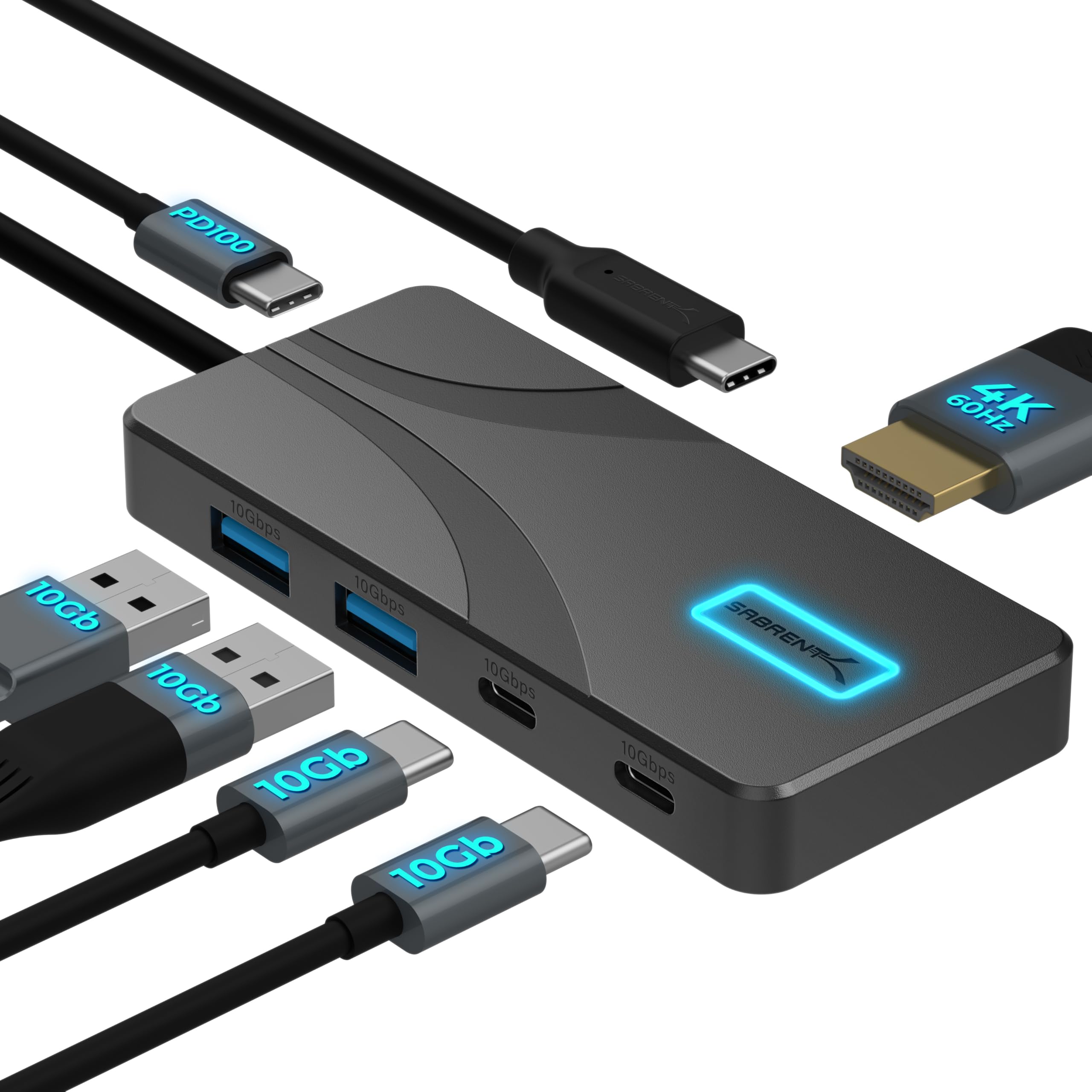
- Provides four 10Gbps USB data ports: two USB-A and two USB-C.
- Passes up to 80W to a laptop with a 100W USB-C PD charger.
- Supports HDMI output up to 4K at 60Hz.
Best For: Laptop users who want several high-speed USB ports and a monitor connection at a desk or on the go.
j5create USB-C Multi-Port Hub JCD373EC
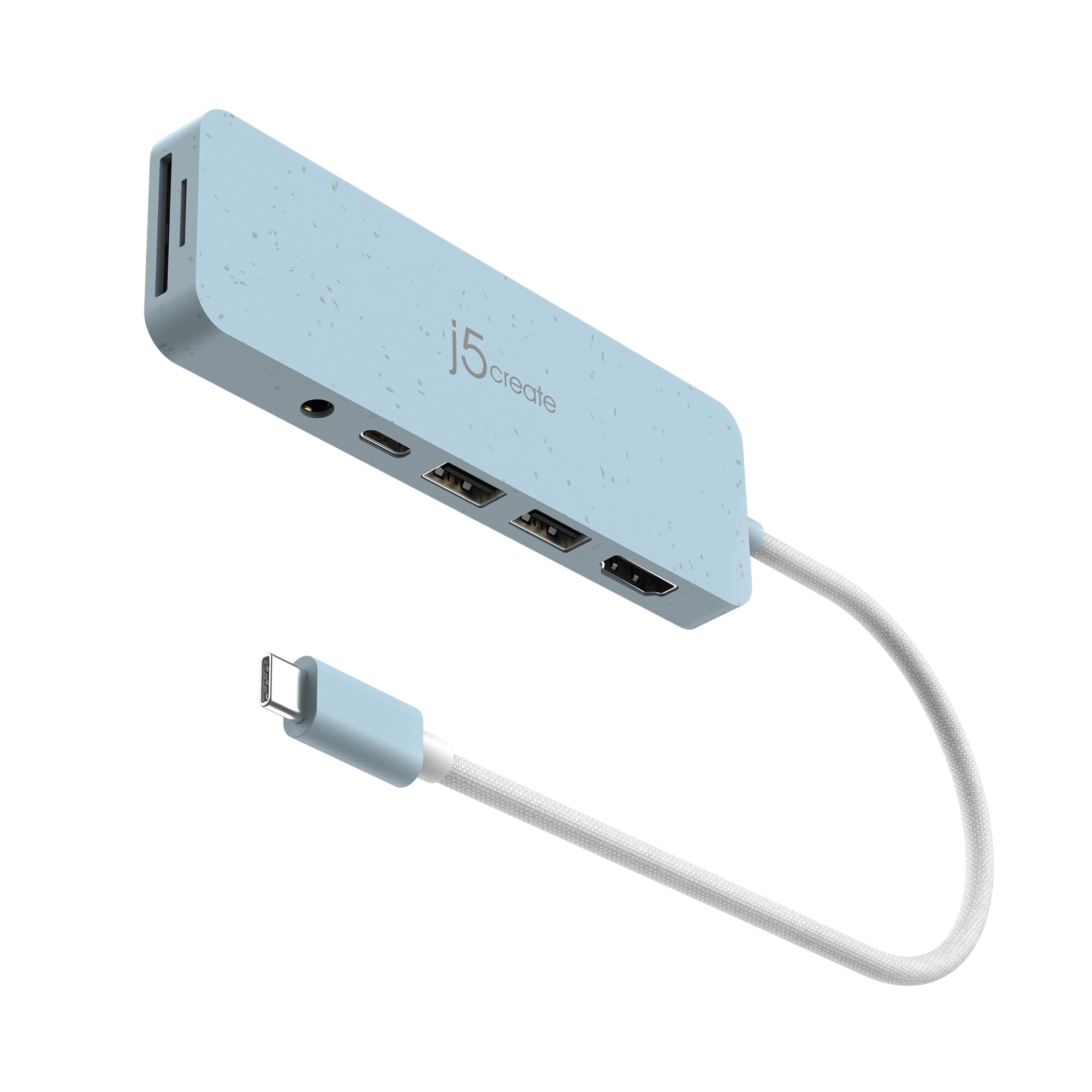
- Combines two 5Gbps USB-A ports, HDMI, audio, and SD and microSD readers.
- HDMI supports resolutions up to 4K at 30Hz.
- USB-C PD charging supports up to 100W.
Best For: USB-C laptop and tablet owners who need card slots and an audio jack alongside USB-A and HDMI.
SABRENT USB-C Hub HB-SHPU
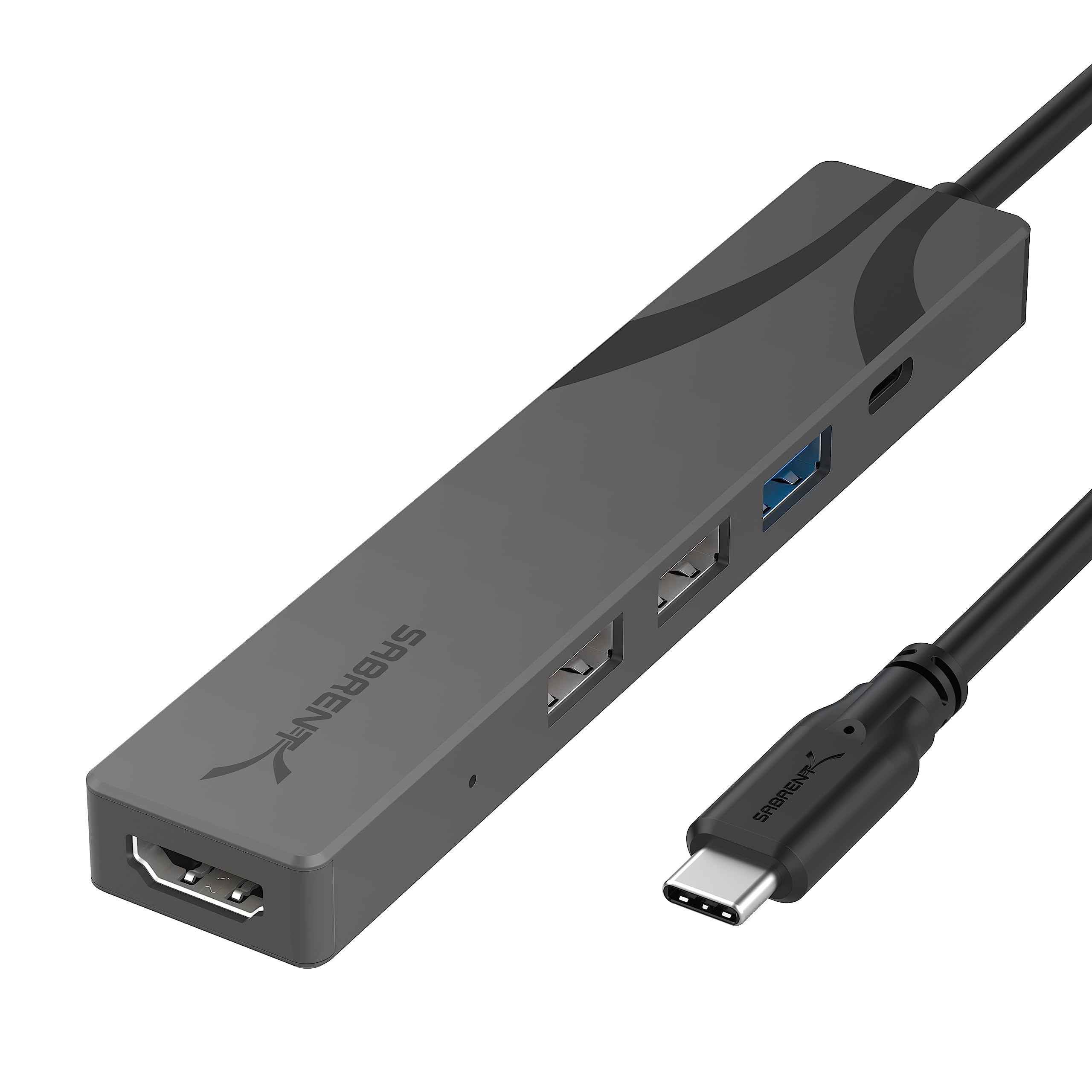
- Has HDMI 2.0 output up to 4K at 60Hz.
- Provides one 5Gbps USB-A port and two USB 2.0 ports.
- Supports up to 90W USB-C power delivery.
Best For: Travelers who want HDMI, laptop charging, and three USB-A ports in a compact USB-C hub.
SABRENT USB-C Hub HB-TC5P
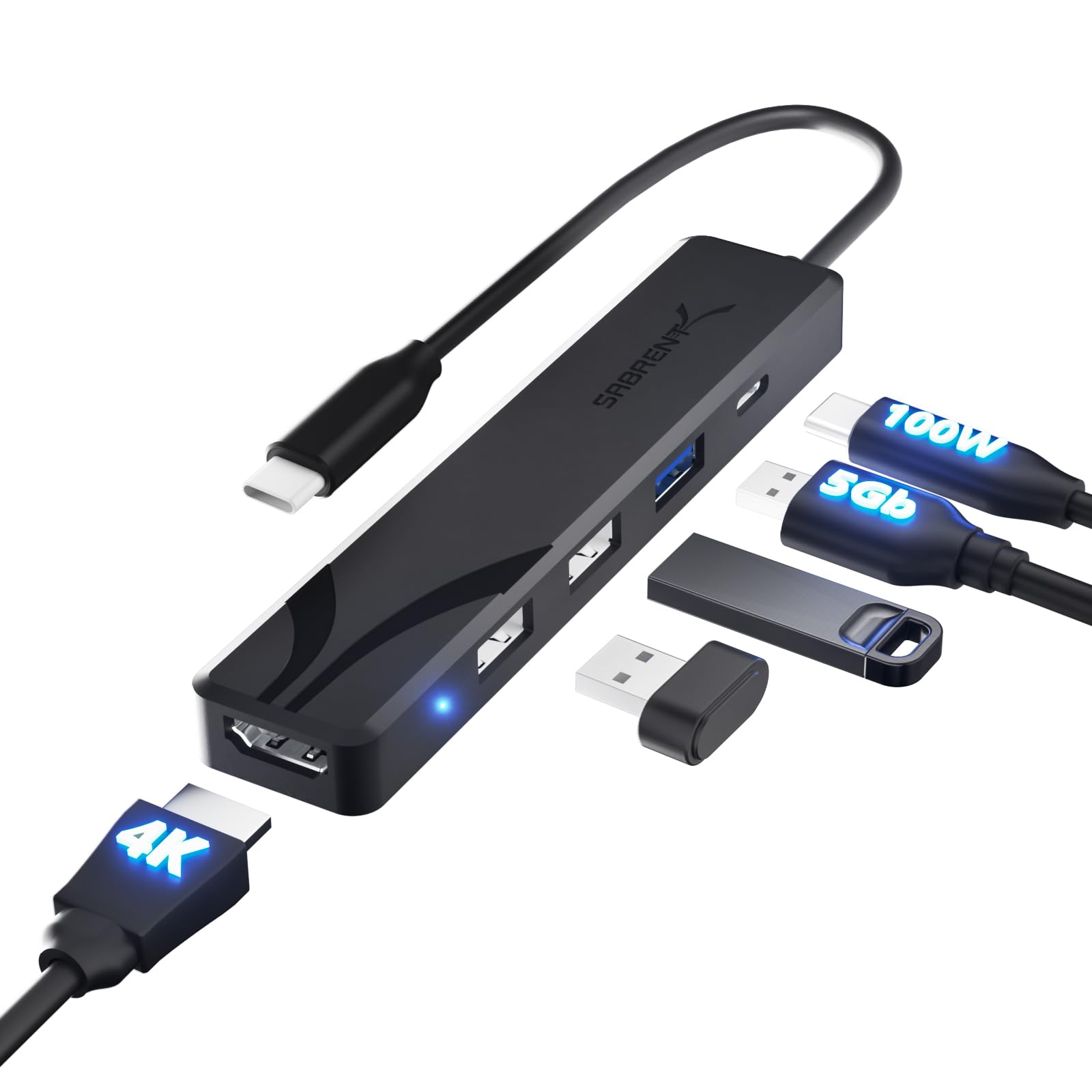
- Adds HDMI output up to 4K at 60Hz and three USB-A ports.
- Includes one 5Gbps USB-A port and two USB 2.0 ports.
- USB-C power delivery supports up to 100W.
Best For: USB-C laptop users who need a compact HDMI adapter, charging pass-through, and everyday USB-A ports.
SABRENT 7-Port USB-C Hub HB-3A4C
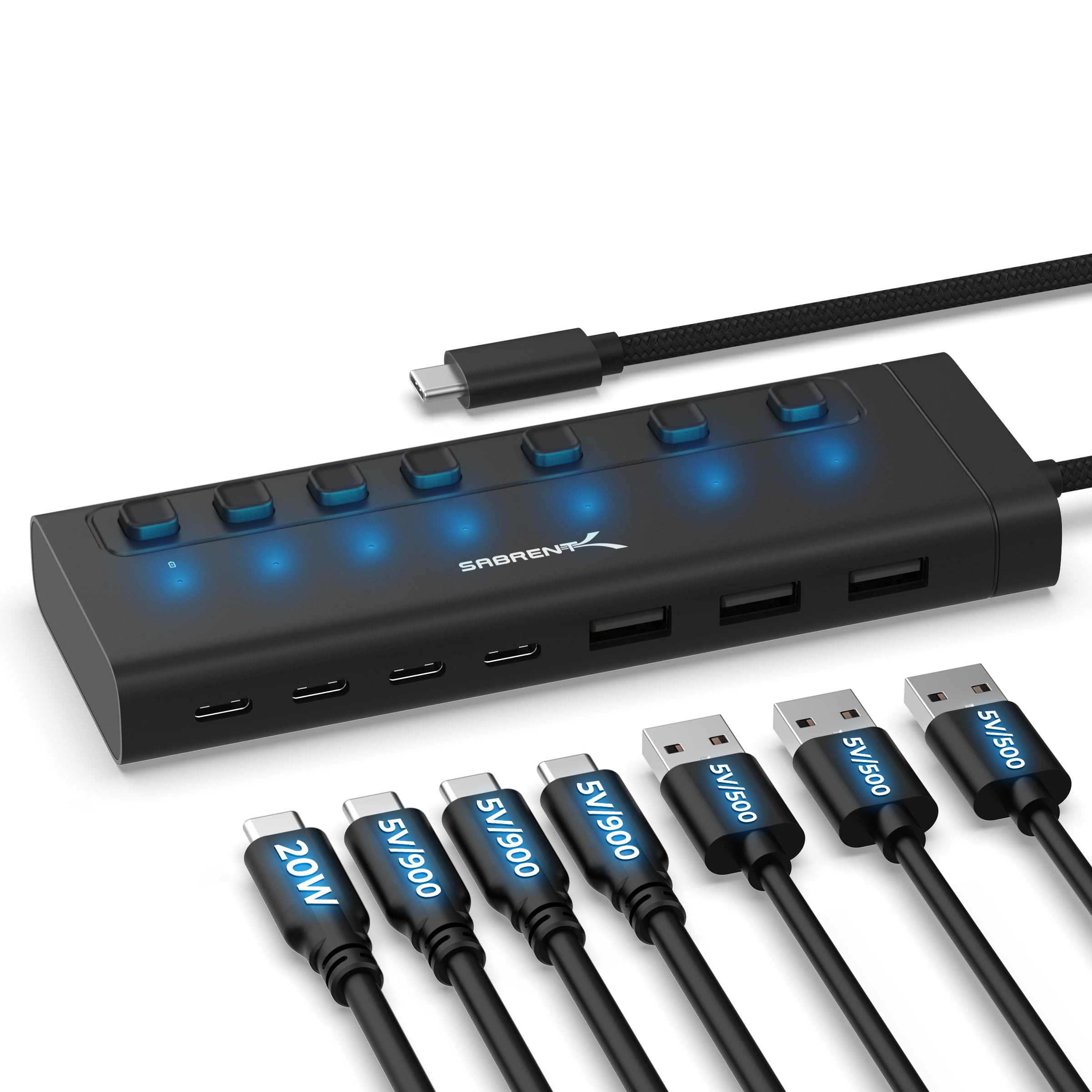
- Provides three USB-A and four USB-C ports at 5Gbps.
- Every port has an individual on/off switch and white LED.
- One USB-C port supports up to 20W PD.
Best For: A desk setup with both USB-A and USB-C accessories that benefits from per-port power controls.
SABRENT 10-Port USB 3.0 Hub HB-B7C3
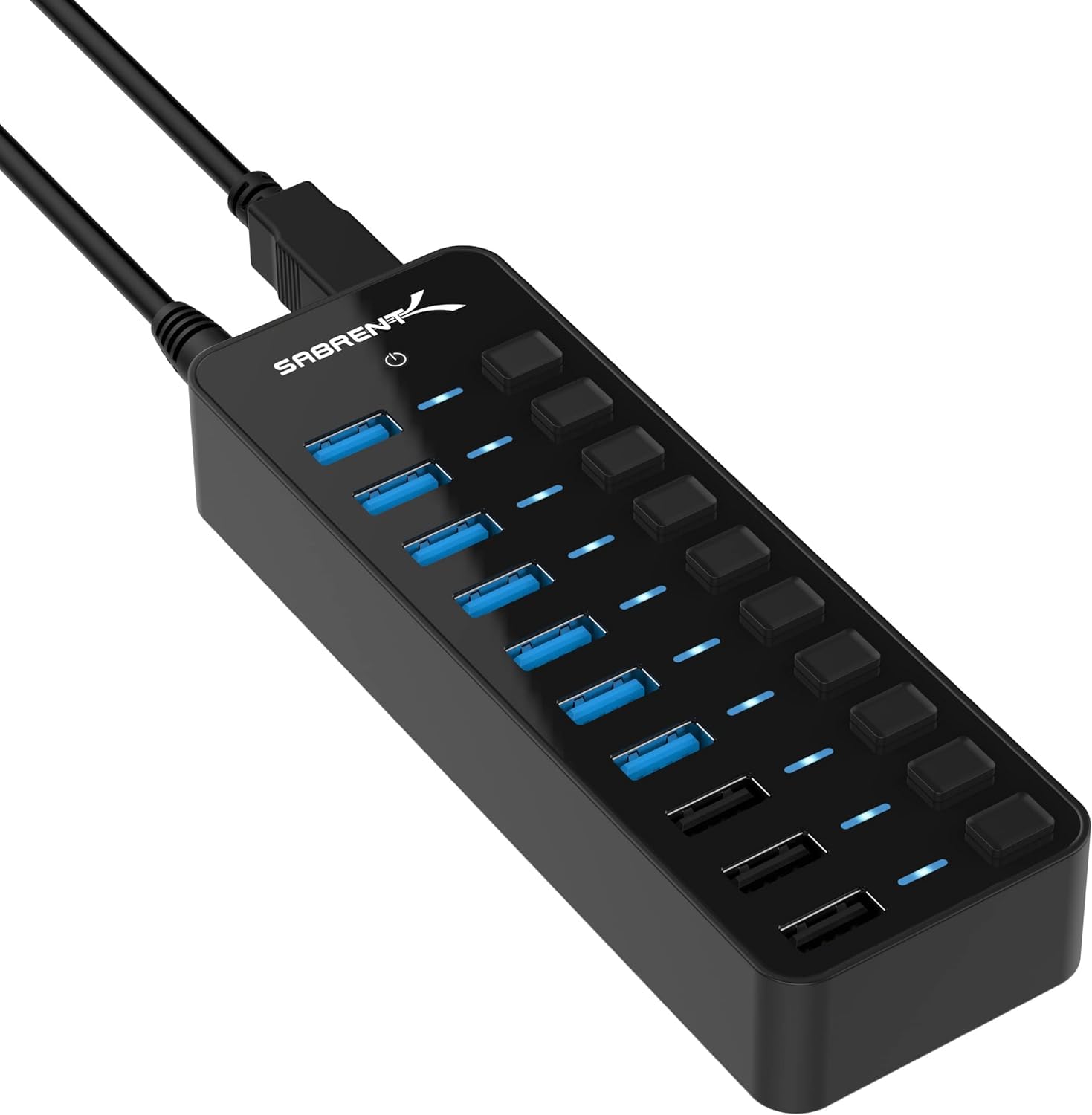
- Has seven USB 3.0 data ports and three dedicated charging ports.
- Charging ports deliver up to 2.4A per port.
- Includes a 60W power adapter and per-port switches.
Best For: Desktop users who want multiple USB 3.0 data connections and separate charging ports.
SABRENT USB-C 5-in-1 Hub HB-U3CR
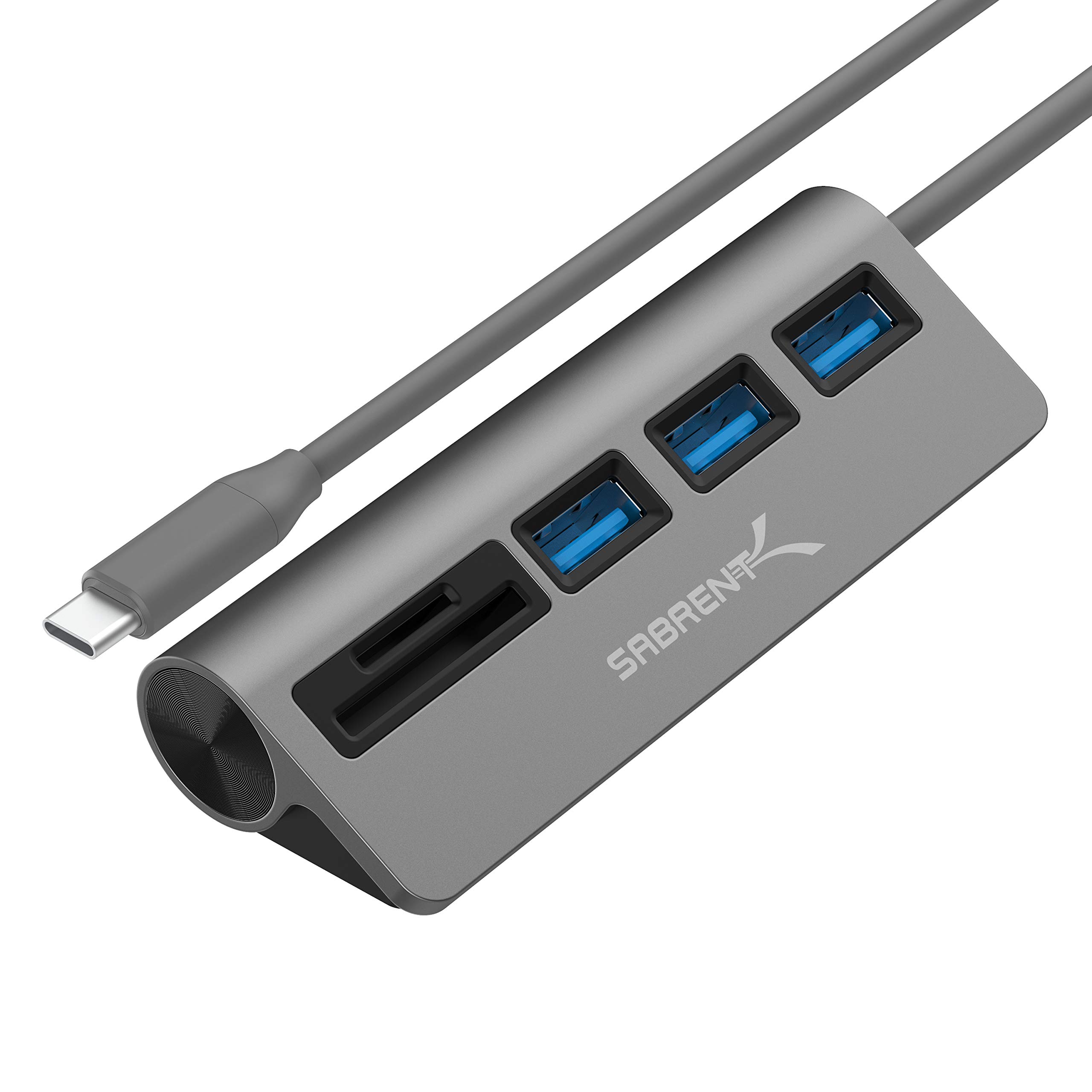
- Includes three USB 3.0 Type-A ports rated up to 5Gbps.
- Built-in reader supports SD, SDHC, and Micro SD cards.
- Supports plug-and-play, hot-swappable use.
Best For: Photographers and laptop users who need SD or microSD access plus several USB-A ports.
SABRENT 16-Port USB 3.0 Data Hub & Charger
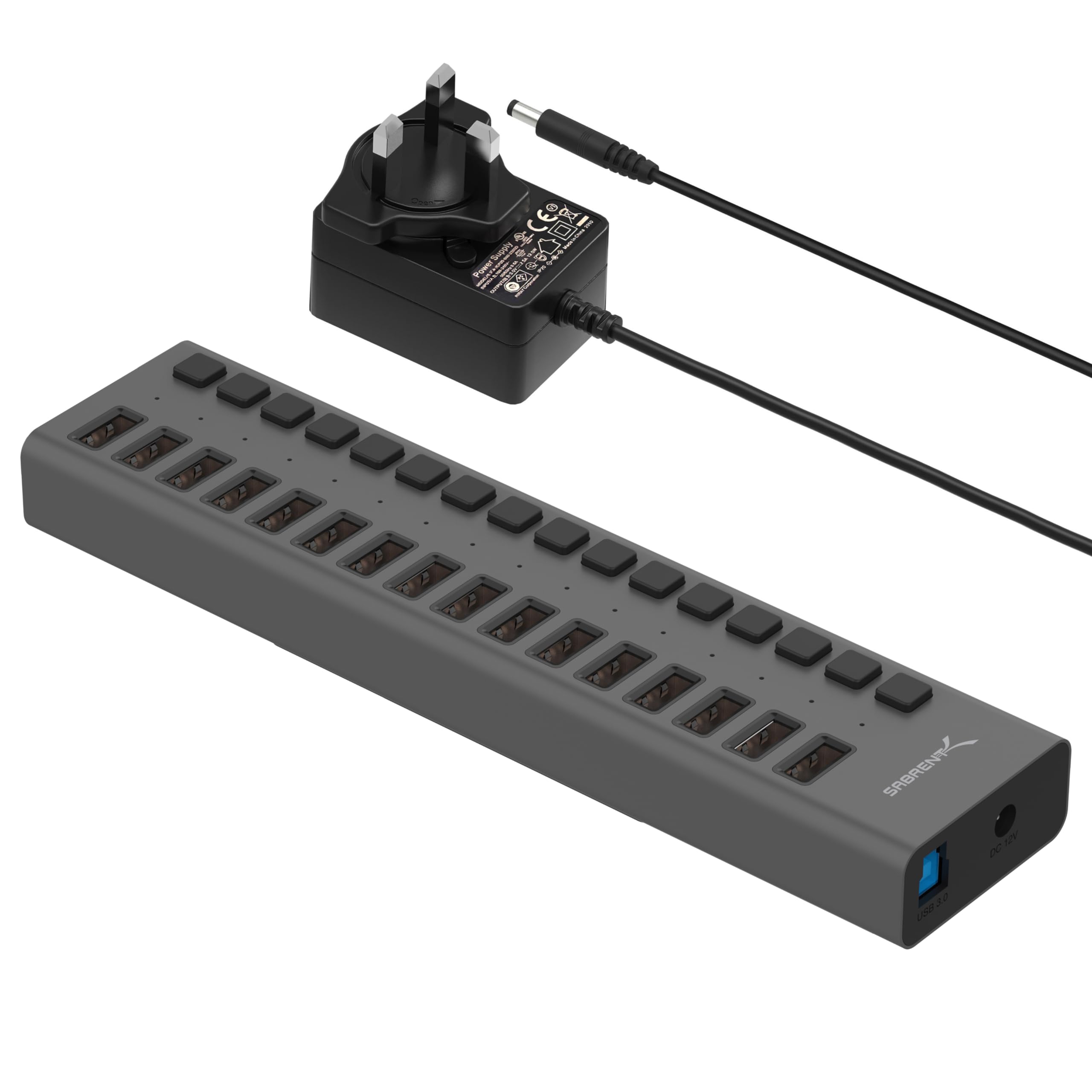
- Provides sixteen downstream USB 3.0 ports.
- Supports data transfer up to 5Gbps.
- Blue LEDs show power status for each port.
Best For: Users who need many USB-A connections for drives, card readers, and other peripherals.
SABRENT 4-Port Powered USB 3.0 Hub HB-UMP3
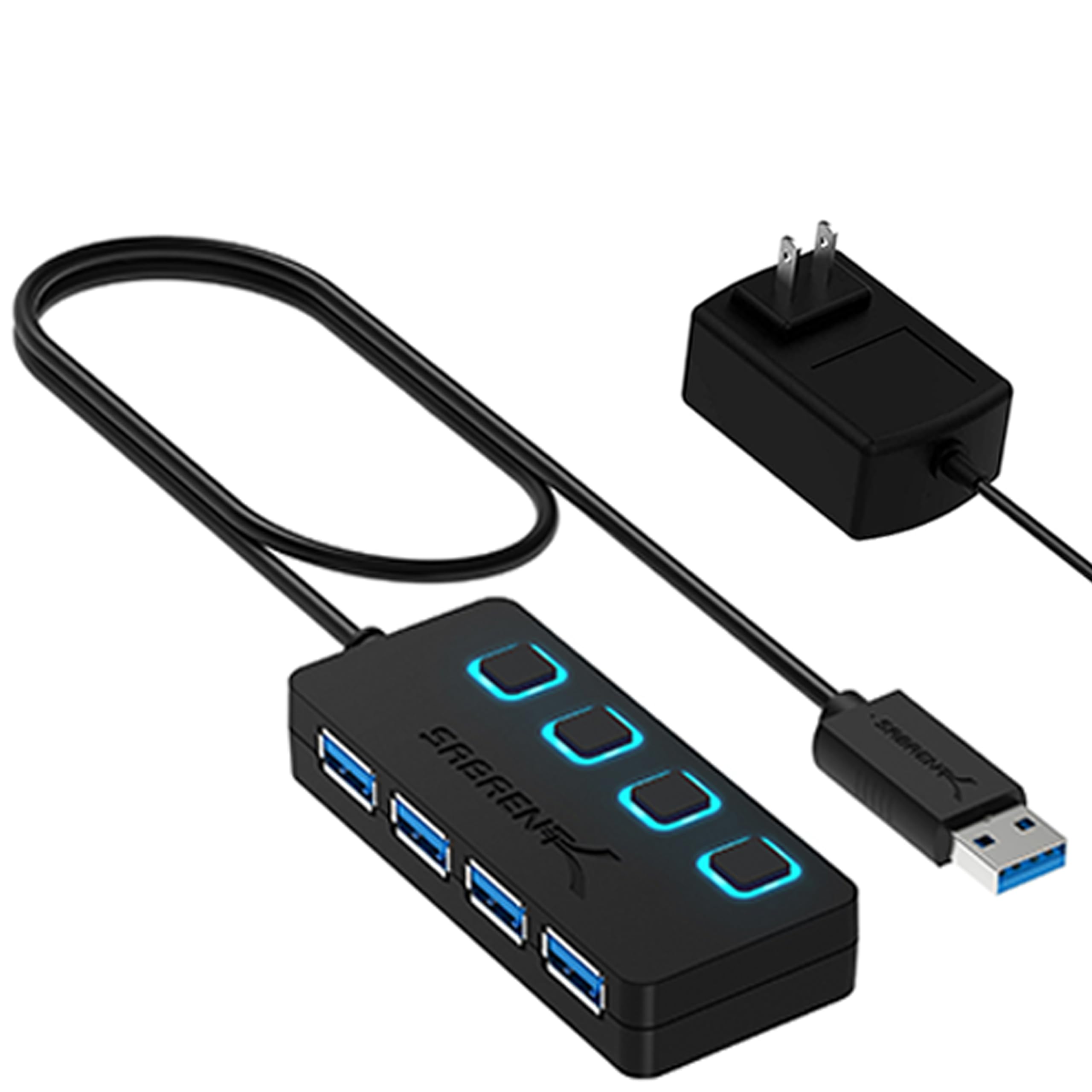
- Adds four USB 3.0 ports with transfer speeds up to 5Gbps.
- Includes individual power switches and LED indicators.
- Comes with a 5V/2.5A power adapter.
Best For: Users who need four USB 3.0 data ports with individual switches and an included power adapter.
Travel Hub with Built-In SSD Slot
SABRENT USB-C Hub & SSD Enclosure, 6-Port Dock with M.2 SSD Slot, 90W Power Delivery, USB 3.0 & 2.0 Ports, 4K HDMI, RJ45 Gigabit Ethernet (HB-6PNV)
This USB-C hub combines everyday connections with an internal M.2 SSD slot, making it a flexible option for a laptop travel kit. It has three USB-A ports, Gigabit Ethernet, and HDMI 2.0 output up to 4K at 60Hz.
The integrated USB-C connection supports up to 90W power delivery pass-through, while the SSD slot supports M.2 SATA or NVMe drives in several form factors. Its tradeoff is that the added storage and networking features are useful only if you need them; check that your host supports DisplayPort Alt Mode for HDMI output and that your drive matches the slot.
Best For: Travelers who want display, network, USB-A, and expandable storage in one USB-C dock.
| Pros | Cons |
|---|---|
|
|
Choose this hub if your laptop setup benefits from Ethernet, an external display, and portable SSD storage through one USB-C connection. It offers a broader mix of functions than a basic port expander, but you will need a compatible M.2 drive to use the storage slot.
Before buying, verify host support for DisplayPort Alt Mode and check whether your preferred SSD form factor is among the supported options.
Fast USB-C Ports with Laptop Charging
SABRENT USB C Hub 5-in-1, 10Gbps USB-A & USB-C Ports, Single 4K@60Hz HDMI, 100W PD Input, 80W Laptop Charging, Compact Aluminum Docking Station for MacBook, iPad, Laptops & Tablets (HB-TG5P)
The HB-TG5P focuses on fast peripheral connections and a high-refresh 4K display output. It has two USB-A and two USB-C data ports rated at 10Gbps, plus a dedicated USB-C power input that passes up to 80W to a laptop when connected to a 100W charger.
The HDMI output supports up to 4K at 60Hz, and a 60cm integrated cable gives it some placement flexibility. The power adapter is not included, and extended desktop mode requires MST support from the host, so check your laptop’s video capabilities and charging setup before choosing it.
Best For: Laptop users who want several high-speed USB ports and a monitor connection at a desk or on the go.
| Pros | Cons |
|---|---|
|
|
Pick this hub when fast USB connections and 4K at 60Hz matter more than built-in card readers or Ethernet. Its four high-speed data ports are useful for storage and peripherals, while laptop charging depends on supplying a compatible 100W PD charger.
Check whether your host supports DisplayPort Alt Mode for video and MST if you want extended desktop mode; otherwise, a simpler USB-C hub may suit your setup.
Card Reader, Audio, and Display in One
j5create USB-C Multi-Port Hub with Power Delivery with 4K HDMI/2 USB-A 5Gbps/PD 100W Charging SD&Micro SD/3.5mm Audio | for MacBook Pro&Air/iPad Pro/iMac/Surface/XPS/Thinkpad/Galaxy/and More(JCD373EC)
This seven-port USB-C adapter brings together connections that are often useful for a mobile workstation: two USB-A data ports, an HDMI output, a 3.5mm audio jack, and SD and microSD card readers. The HDMI port supports up to 4K at 30Hz, and the USB-A ports support transfer speeds up to 5Gbps.
A separate USB-C PD port supports up to 100W charging, which helps keep a compatible host powered while peripherals are attached. Consider the lower HDMI refresh limit if you plan to use a monitor, and verify that the host supports the connections you need.
Best For: USB-C laptop and tablet owners who need card slots and an audio jack alongside USB-A and HDMI.
| Pros | Cons |
|---|---|
|
|
Choose the JCD373EC if card access and wired audio are as important as expanding USB and connecting a display. Its mix of ports can reduce the number of separate adapters you carry, and the 100W PD port supports laptop charging.
The main display tradeoff is its 4K at 30Hz ceiling. Confirm that your host’s USB-C port supports the video and charging functions you plan to use.
Compact Aluminum HDMI Adapter
SABRENT Multi-Port USB-C Hub with Power Delivery, HDMI Out, 3 USB A Ports, 4K@60Hz, 90W PD, Aluminum [HB-SHPU]
The HB-SHPU is a straightforward travel hub for adding a display and familiar USB-A connections to a USB-C laptop or tablet. Its HDMI 2.0 output supports up to 4K at 60Hz, while the three USB-A ports include one 5Gbps port and two USB 2.0 ports.
USB-C power delivery supports up to 90W, and the integrated 15cm cable keeps the connection short and tidy. The hub’s port mix favors general peripherals over multiple fast storage drives, so check which USB-A port needs the higher transfer rate and confirm host DisplayPort Alt Mode support for HDMI.
Best For: Travelers who want HDMI, laptop charging, and three USB-A ports in a compact USB-C hub.
| Pros | Cons |
|---|---|
|
|
This is a practical fit for a light travel setup that needs one fast USB-A connection, a display, and charging. The two additional USB-A ports run at USB 2.0 speeds, so users with several fast drives may prefer a hub with more high-speed data ports.
Check the host’s DisplayPort Alt Mode support before relying on HDMI, and match your charger to the hub’s power delivery needs.
Simple HDMI and USB-A Expansion
SABRENT USB C Hub, USB C to HDMI 4K@60Hz, Type C Hub Multiport Adapter, 100W Power Delivery, Compatible with MacBook, Laptop (HB-TC5P)
This compact USB-C hub adds three USB-A connections, HDMI, and USB-C power pass-through for a laptop or other compatible device. The HDMI 2.0 port supports up to 4K at 60Hz, and the USB-A mix includes one 5Gbps port for faster storage plus two USB 2.0 ports for input devices.
Its aluminum shell and integrated cable suit travel or daily desk use. The PD input carries charging only, with no data or video, and the hub cannot provide HDMI output unless the host supports DisplayPort Alt Mode.
It is best for basic expansion rather than high-speed connections across every port.
Best For: USB-C laptop users who need a compact HDMI adapter, charging pass-through, and everyday USB-A ports.
| Pros | Cons |
|---|---|
|
|
Choose the HB-TC5P if you want a compact adapter for an external screen, charging, and common USB-A peripherals. It has fewer high-speed data connections than hubs with multiple high-speed ports, but the one 5Gbps port can serve an external drive while USB 2.0 ports handle a keyboard or mouse.
Check your USB-C host for DisplayPort Alt Mode and confirm its charging support before buying.
Seven USB-C and USB-A Ports with Switches
SABRENT 7-Port USB-C Hub, 48W Powered, 5Gbps, 3 USB-A + 4 USB-C (HB-3A4C) | 20W PD; LED status; aluminum body; power switches; for Mac, PC, Steam Deck, ROG Ally
This powered desktop hub provides a mix of three USB-A and four USB-C ports, each with its own on/off switch and white LED indicator. All seven ports support 5Gbps data, and one USB-C port supports up to 20W PD for higher-demand accessories or device charging.
The included 48W power adapter supplies the hub, while the aluminum housing is intended to dissipate heat. This model is a data and accessory hub rather than a laptop docking station with HDMI or Ethernet, so check whether its port mix and host connection match your desk equipment.
Best For: A desk setup with both USB-A and USB-C accessories that benefits from per-port power controls.
| Pros | Cons |
|---|---|
|
|
This hub suits a desk with a combination of USB-A and USB-C devices, especially when individual switches help manage which accessories stay connected. Its four USB-C ports and three USB-A ports all support 5Gbps, but only one USB-C port is identified for up to 20W PD.
It does not provide documented display or network outputs, so choose it for peripheral expansion rather than laptop docking.
Powered Hub with Data and Charging Ports
SABRENT 10-Port USB 3.0 Hub, Individual Power Switches and LEDs, 3 Smart Charging Ports, 60W Power Adapter, for PC, Mac, Xbox, PS5, Laptop, Desktop, USB Devices (HB-B7C3)
The HB-B7C3 combines seven USB 3.0 data ports with three dedicated smart charging ports. Data connections support speeds up to 5Gbps, while each charging port can deliver up to 2.4A.
An included 60W power adapter supplies the hub, and each port has an individual switch and LED indicator for control. This layout works well when a desktop needs both peripherals and charging connections in one unit.
Check that the distinction between the seven data ports and three charging ports fits your devices, since charging ports are not described as USB data connections.
Best For: Desktop users who want multiple USB 3.0 data connections and separate charging ports.
| Pros | Cons |
|---|---|
|
|
Pick this powered hub if you need many USB-A data connections plus several dedicated places to charge devices. The seven data ports support up to 5Gbps, while the three charging ports deliver up to 2.4A per port.
That division is useful to understand before connecting drives: use the data ports for peripherals and confirm which charging ports suit your devices. Its desktop role also makes the included power adapter more relevant than portability.
USB-C Hub with Dual Card Reader
SABRENT USB-C 3.0 Hub, 5-in-1 USB SD Card Reader, SD & TF Dual Slot + 3 USB 3.0 Hub Portable Compatible with MacBook, Mac Pro/Mini, iMac, XPS, Surface Pro, Windows, Thunderbolt (HB-U3CR)
This USB-C hub combines a dual-format card reader with three USB 3.0 Type-A ports. It supports SD, SDHC, and Micro SD cards, with transfer speeds up to 5Gbps for the USB data connections.
Plug-and-play and hot-swappable operation make it suitable for moving between compatible computers. It does not specify HDMI output or power delivery, so this is focused on card and peripheral access rather than a full laptop dock.
Check that the card formats you use are supported and that your host has the required USB-C connection.
Best For: Photographers and laptop users who need SD or microSD access plus several USB-A ports.
| Pros | Cons |
|---|---|
|
|
Choose this model if your main need is transferring from SD or microSD cards while adding USB-A peripherals. Its three USB 3.0 ports also suit compatible storage and accessories, but the product details do not identify display output or charging pass-through.
If those functions matter, compare it with a USB-C dock that explicitly includes HDMI and PD. Confirm the card types you use before buying.
High-Port-Count USB-A Hub
SABRENT 16-Port USB 3.0 Data Hub and Charger with Individual Power Switches, 90W High-Power Output (HB-PU16)
This hub is built around port quantity, with sixteen downstream USB 3.0 ports for peripherals such as flash drives, card readers, and external hard drives. It supports data transfer up to 5Gbps and is compatible with USB 2.0 and USB 1.1 devices.
Blue LEDs indicate port power status, and the hub supports plug-and-play, hot-swappable use. The broad port count can help consolidate a crowded setup, but the product details do not specify individual power switches or a host connector type.
Check those details against your equipment and power needs before purchase.
Best For: Users who need many USB-A connections for drives, card readers, and other peripherals.
| Pros | Cons |
|---|---|
|
|
This option fits a workstation with many USB-A devices and a need to centralize connections. Its sixteen ports and 5Gbps data support make it distinct from compact laptop hubs, but the notes do not establish how each port is controlled or what host connector and power accessories are included.
Check those details before purchase, especially if you need per-port switching or a specific connection to your computer.
Four-Port Powered Hub with Port Controls
SABRENT 4 Port USB 3.0 Hub with Individual LED Lit Power Switches, Includes 5V/2.5A Power Adapter (HB-UMP3)
The HB-UMP3 keeps the setup simple: it adds four USB 3.0 ports, supports transfer speeds up to 5Gbps, and includes a 5V/2.5A power adapter. Each port has its own power switch and LED indicator, making it easy to control connected devices individually.
It also supports older USB 2.0 and USB 1.1 devices, and setup is plug-and-play and hot-swappable. This is a useful powered desktop hub when four connections are enough; it does not include the display, network, or card-reader features found on multifunction USB-C docks.
Best For: Users who need four USB 3.0 data ports with individual switches and an included power adapter.
| Pros | Cons |
|---|---|
|
|
Choose this hub if four switched USB-A connections cover your needs and you want the included adapter to power the hub. It offers faster USB 3.0 data connections than USB 2.0-only expansion hubs, plus backward compatibility for older devices.
It lacks documented video, Ethernet, and card-reading functions, so it is a focused desktop accessory rather than a one-cable laptop dock. Check the host connection and available desk space before buying.
How to Choose Usb Hubs
How We Picked USB Hubs
We selected hubs that address distinct expansion needs: compact USB-C docking, card access, desktop USB-A expansion, per-port switching, and high port counts. Each pick has a defined connection or use case, such as 4K HDMI output, charging pass-through, card reading, or powered peripheral connections.
A hub’s advertised port count does not explain what every port can do. We considered whether records distinguish data ports from charging ports, identify transfer speeds, or specify host requirements for video and power.
Models with narrow device-specific designs or overlapping basic features were left out when the selection already covered that role.
Comparing USB Hubs
The USB-C docks vary most in video, charging, and data-port mix. The HB-TG5P offers four 10Gbps data ports and 4K at 60Hz video, while the j5create model adds SD and microSD readers plus audio but supports 4K at 30Hz.
The HB-SHPU and HB-TC5P offer a more compact set of USB-A ports with HDMI and power pass-through; compare the fast-port count and integrated cable layout.
For desktop expansion, distinguish powered data hubs from hubs with dedicated charging ports. The HB-B7C3 has seven USB 3.0 data ports and three charging ports, while the HB-UMP3 focuses on four switched USB 3.0 connections.
The sixteen-port model serves a larger USB-A setup, and the seven-port USB-C hub adds individual switches across a mixed USB-A and USB-C layout.
| Product | Standout features | Best for |
|---|---|---|
| SABRENT USB-C 6-Port Hub & M.2 SSD DockCheck Price |
| Travelers who want display, network, USB-A, and expandable storage in one USB-C dock. |
| SABRENT 5-in-1 USB-C Hub HB-TG5PCheck Price |
| Laptop users who want several high-speed USB ports and a monitor connection at a desk or on the go. |
| j5create USB-C Multi-Port Hub JCD373ECCheck Price |
| USB-C laptop and tablet owners who need card slots and an audio jack alongside USB-A and HDMI. |
| SABRENT USB-C Hub HB-SHPUCheck Price |
| Travelers who want HDMI, laptop charging, and three USB-A ports in a compact USB-C hub. |
| SABRENT USB-C Hub HB-TC5PCheck Price |
| USB-C laptop users who need a compact HDMI adapter, charging pass-through, and everyday USB-A ports. |
| SABRENT 7-Port USB-C Hub HB-3A4CCheck Price |
| A desk setup with both USB-A and USB-C accessories that benefits from per-port power controls. |
| SABRENT 10-Port USB 3.0 Hub HB-B7C3Check Price |
| Desktop users who want multiple USB 3.0 data connections and separate charging ports. |
| SABRENT USB-C 5-in-1 Hub HB-U3CRCheck Price |
| Photographers and laptop users who need SD or microSD access plus several USB-A ports. |
| SABRENT 16-Port USB 3.0 Data Hub & ChargerCheck Price |
| Users who need many USB-A connections for drives, card readers, and other peripherals. |
| SABRENT 4-Port Powered USB 3.0 Hub HB-UMP3Check Price |
| Users who need four USB 3.0 data ports with individual switches and an included power adapter. |
Check Host Compatibility and Video Support
A USB-C plug alone does not ensure video output or charging. The HDMI-equipped models require host support for DisplayPort Alt Mode, so check your laptop or tablet’s USB-C specifications before expecting an external display.
Extended desktop mode on the HB-TG5P also requires MST support.
Power delivery figures describe the hub’s pass-through capability, but the charger and host still matter. The HB-TG5P passes up to 80W when paired with a 100W charger, while the HB-SHPU and HB-TC5P support up to 90W and 100W respectively.
The HB-TC5P’s PD input carries power only, with no data or video.
Choose Ports for Your Peripherals
For fast external drives, look at the individual port speeds rather than the total count. The HB-TG5P has four 10Gbps USB data ports; the HB-3A4C and HB-B7C3 specify 5Gbps data ports.
On the HB-SHPU and HB-TC5P, only one USB-A port is identified as USB 3.2 Gen 1, while the remaining ports are USB 2.0.
For memory cards, the HB-U3CR supports SD, SDHC, and microSD, while the j5create adapter includes SD and microSD readers. Their records do not establish card-reader speeds.
If card transfers are central to your work, check the specific reader speed and supported card formats before purchase.
Who Should Buy Which USB Hub
Choose the HB-6PNV if a travel dock with Ethernet and an M.2 SSD slot fits your setup. The HB-TG5P is a better match for a laptop desk that needs several fast USB ports and 4K at 60Hz video, while the j5create model suits users who prioritize memory cards and wired audio.
For a compact HDMI and USB-A adapter, compare the HB-SHPU and HB-TC5P by their port speed mix and power pass-through. Choose the HB-3A4C for switched USB-A and USB-C peripherals, the HB-B7C3 for separate data and charging ports, or the sixteen-port model when a large USB-A device collection drives the decision.