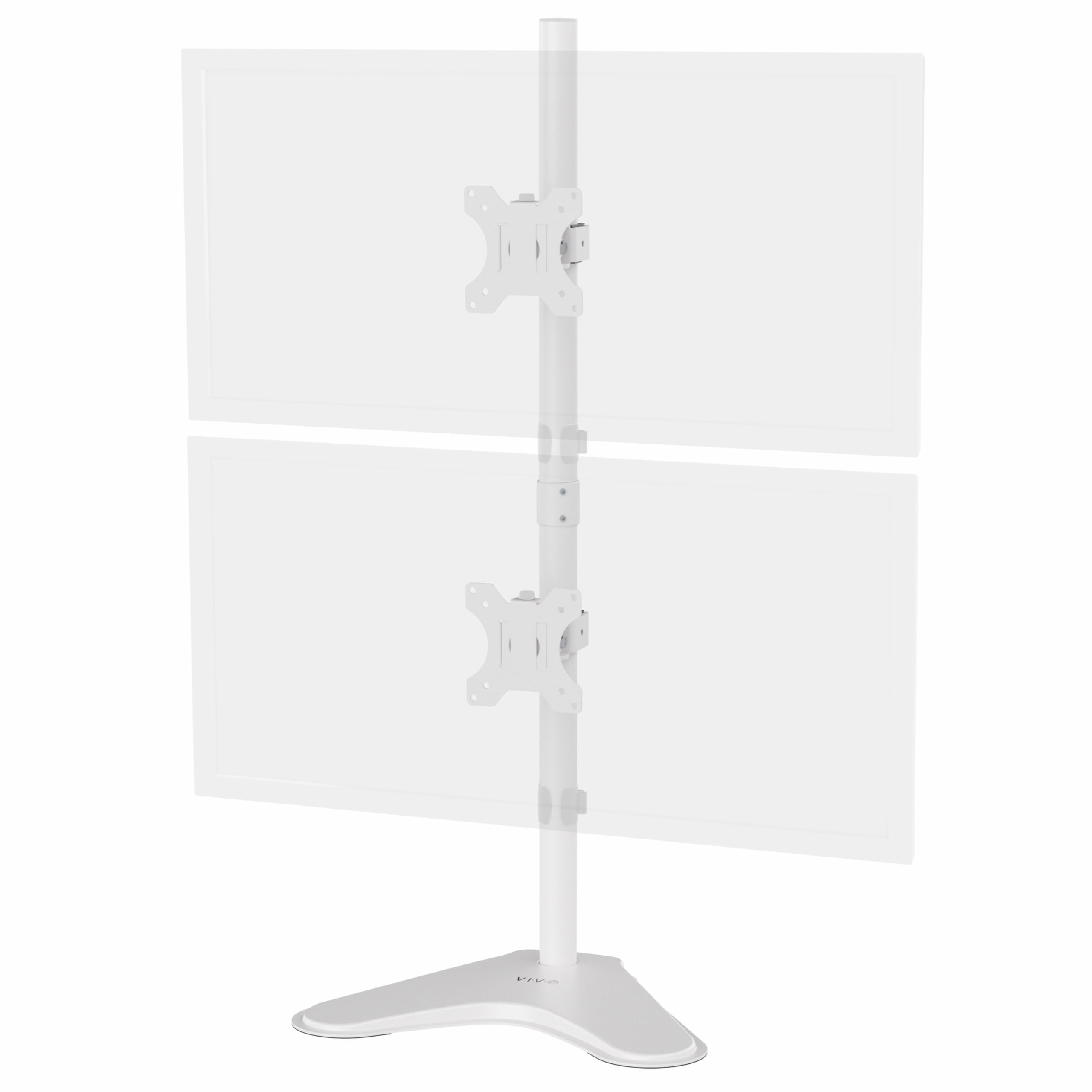
The VIVO STAND-V002LW is a freestanding stand that stacks two monitors vertically and supports screens up to 34 inches.
This vivo dual monitor stand review looks at its screen compatibility, adjustable positioning, and the desk-space tradeoffs to check before choosing a stacked setup.
VIVO Dual Stand Review Summary
The quick verdict
3,000+ ratings
Read Amazon ReviewsVIVO STAND-V002LW Dual Monitor Desk Stand
A freestanding stacked stand for buyers fitting two VESA-compatible screens, including ultrawides up to 34 inches, into a compact vertical layout.
- Supports two monitors sized 13 to 34 inches, with a maximum weight of 22 pounds per screen.
- Requires VESA mounting holes in either a 75-by-75 mm or 100-by-100 mm pattern.
- The brackets offer +45° to -45° tilt, 180° swivel, and 360° rotation.
- Screen height adjusts along the center pole, and monitors can be positioned in portrait or landscape orientation.

Pros
- Accommodates two displays up to 34 inches and 22 pounds each.
- Vertical stacking can keep a dual-monitor setup within a narrower desk layout.
Consider before buying
- The base occupies 15.4 by 12.4 inches of desktop space, so measure the intended spot before purchasing.
- Both monitors need compatible 75-by-75 mm or 100-by-100 mm VESA holes and must remain within the stated size and weight limits.
Read the full review summary
The STAND-V002LW is built around a straightforward idea: use vertical space instead of spreading two screens across the desk.
Its broad base sits on the desktop, while a center pole and adjustable brackets support displays from 13 to 34 inches, up to 22 pounds each.
That combination makes it worth considering for a dual-screen workspace where a clamp-mounted arm is not the preferred format.
Tilt, swivel, rotation, and height adjustment along the pole provide useful ways to align the screens and choose portrait or landscape orientation.
The freestanding design also avoids specifying a desk-edge clamp, but its 15.4-by-12.4-inch base still occupies desk surface.
Check the dimensions and each monitor’s VESA pattern and weight before buying; the stand suits users who can accommodate its footprint and want their displays arranged one above the other.
The buying factors
VIVO Dual Stand Scorecard
Editorial scores reflect listed features and buyer fit; they are not laboratory measurements or customer ratings.
Screen size and weight range
It supports two screens from 13 to 34 inches and up to 22 pounds each, giving it useful latitude for many standard and ultrawide displays.
Stacked layout
The vertical arrangement directly serves buyers who want to place two monitors in one column.
Positioning flexibility
Tilt, swivel, rotation, and height adjustment along the center pole allow several useful screen alignments.
Desk footprint
The freestanding base avoids relying on a desk-edge attachment, but its 15.4-by-12.4-inch dimensions take up a defined patch of desktop.
Cable organization
Integrated cable management is included to help organize the cords around the stand.
Setup support
Removable VESA plates, hardware, and instructions are included to support assembly and monitor attachment.
Key Features and Specifications of VIVO Dual Stand
- Supports two monitors sized 13 to 34 inches, with a maximum weight of 22 pounds per screen.
- Requires VESA mounting holes in either a 75-by-75 mm or 100-by-100 mm pattern.
- The brackets offer +45° to -45° tilt, 180° swivel, and 360° rotation.
- Screen height adjusts along the center pole, and monitors can be positioned in portrait or landscape orientation.
- The freestanding base measures 15.4 by 12.4 inches and has padding on its underside.
- Integrated cable management helps organize cords; removable VESA plates, assembly hardware, and instructions are included.
Pros and Cons of VIVO Dual Stand
Pros
- Accommodates two displays up to 34 inches and 22 pounds each.
- Vertical stacking can keep a dual-monitor setup within a narrower desk layout.
- Multiple adjustment directions and both screen orientations allow flexible positioning.
- The padded, freestanding base does not depend on a desk-edge clamp.
- Removable VESA plates are provided to make attaching monitors more manageable.
Consider before buying
- The base occupies 15.4 by 12.4 inches of desktop space, so measure the intended spot before purchasing.
- Both monitors need compatible 75-by-75 mm or 100-by-100 mm VESA holes and must remain within the stated size and weight limits.
- The stacked layout places one screen above the other; buyers who prefer side-by-side displays should consider whether that arrangement suits their desk and viewing habits.
Who Should Buy VIVO Dual Stand?
Good fit
Consider the VIVO STAND-V002LW if you want two monitors in a vertical arrangement and prefer a stand that rests on the desk.
Its 34-inch screen limit, 22-pound capacity per monitor, and support for common VESA patterns cover a useful range, while the pole adjustment and articulating brackets let you tune the relative position of the displays.
It is a practical fit when you have enough clear desktop area for the base and have verified both monitors’ mounting patterns, dimensions, and weights.
The tilt, swivel, and rotation options are especially relevant if you expect to change screen orientation or need to fine-tune the viewing angle after assembly.
Before ordering, compare the base dimensions with your available surface and consider whether a vertical stack works for your usual tasks.
If those checks fit, the combination of two-screen capacity, adjustment, cable organization, and included mounting hardware makes this a considered option for a compact dual-display workspace.
Who should skip it
Skip this layout if you specifically want your two screens positioned side by side, or if you cannot spare the base’s 15.4-by-12.4-inch footprint on the desk.
Choose another mount if either monitor exceeds 34 inches or 22 pounds, or lacks one of the supported VESA hole patterns. Confirm those measurements before deciding.
How the VIVO Dual Stand Fits a Stacked Monitor Setup
A vertical arrangement changes the desk plan
Stacking screens can consolidate a dual-display arrangement into a single vertical column, which may suit a desk where side-by-side placement is awkward.
The tradeoff is that the screens occupy different heights, so consider how you use each display and whether the upper screen’s position will work for your routine.
Confirm the monitor match first
The stand supports each monitor from 13 to 34 inches and up to 22 pounds, with either 75-by-75 mm or 100-by-100 mm VESA mounting holes.
Check the monitor specifications and measure the mounting pattern rather than relying on screen size alone; every requirement needs to fit for the pair.
Adjustment helps align the pair
The brackets tilt, swivel, and rotate, while the center pole allows height adjustment.
These controls give you options for aligning the two screens and selecting portrait or landscape orientation, though the product details do not specify a numeric height range along the pole.
Plan for the base and cables
A freestanding design places a 15.4-by-12.4-inch base on the desk, with padding underneath. Measure the area where it will sit and allow for the monitor arrangement above it.
Integrated cable management can help keep wiring organized once the displays are installed.
Alternatives to VIVO Dual Stand
Computer Monitor Arms alternative
60,000+ ratings
Read Amazon ReviewsVIVO STAND-V038 Dual Ultrawide Monitor Desk Mount
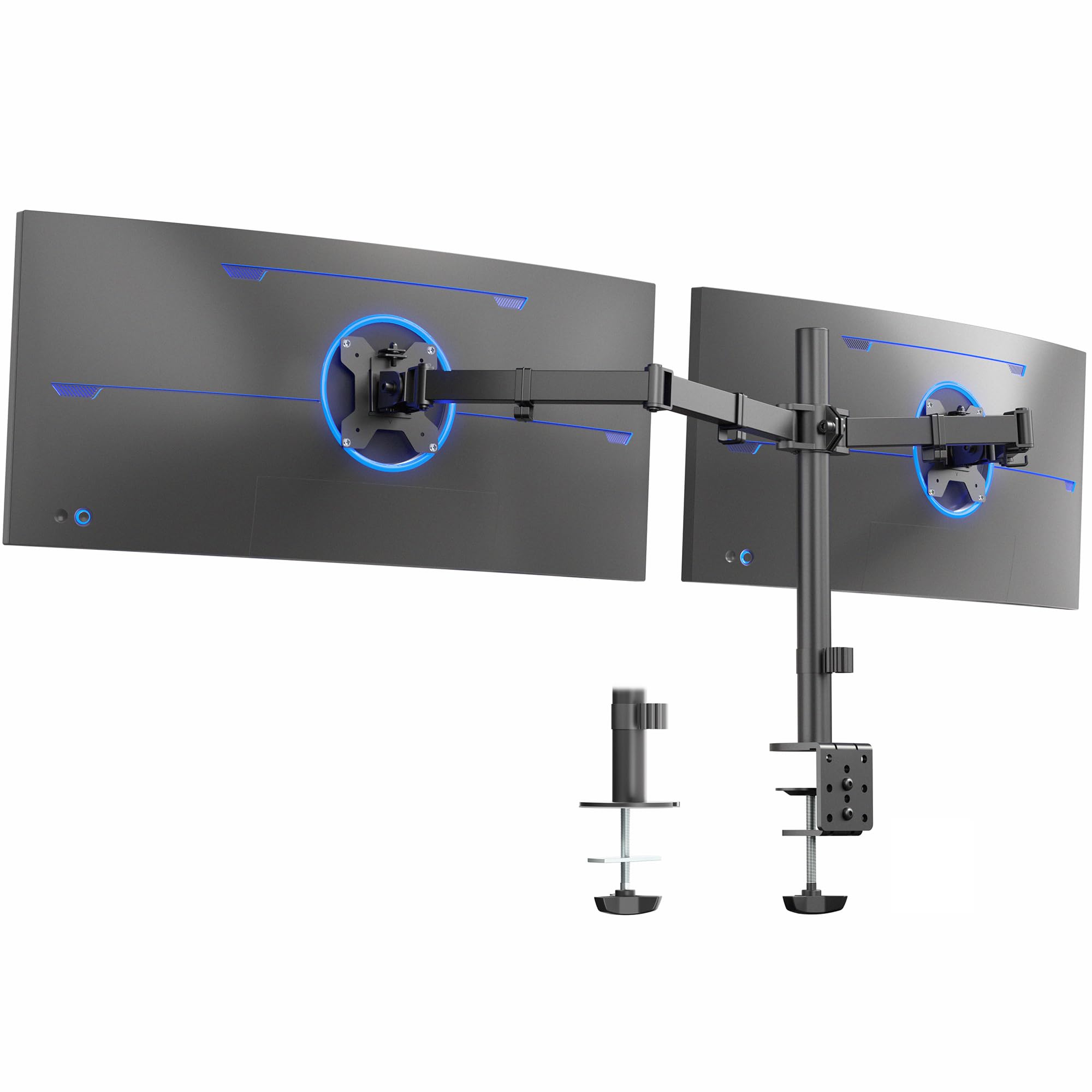
Consider the STAND-V038 if either display is larger than 34 inches but remains within its 38-inch limit, or if you prefer a desk-attached clamp or grommet mount.
The STAND-V002LW is the better fit when you want the freestanding stacked design and your screens fit its 34-inch limit.
- The STAND-V038 supports two screens up to 38 inches and 22 pounds each, with tilt, swivel, rotation, height adjustment, cable clips, and C-clamp or optional grommet mounting.
- The STAND-V002LW supports two screens up to 34 inches and uses a freestanding base for a vertical arrangement.
Computer Monitor Arms alternative
60,000+ ratings
Read Amazon ReviewsVIVO STAND-V002 Dual Monitor Desk Mount
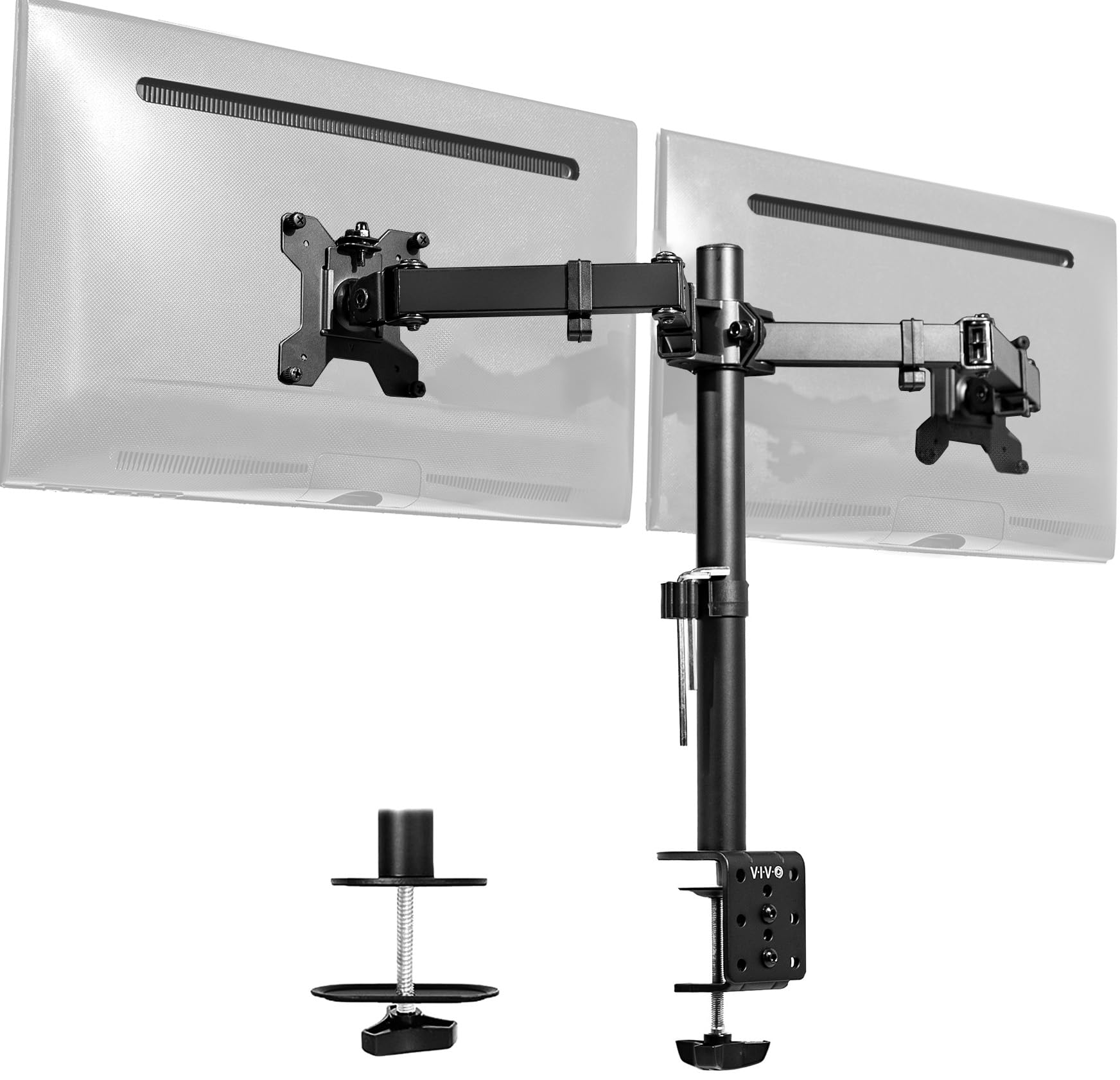
Choose the STAND-V002 if your monitors are no larger than 30 inches and you want a clamp or grommet attachment.
The STAND-V002LW accommodates screens up to 34 inches and uses a freestanding base, so it better fits buyers who need that larger screen range or do not want the specified desk attachment.
- The STAND-V002 supports two screens from 13 to 30 inches and up to 22 pounds each, with adjustable tilt, swivel, rotation, and height.
- It mounts with a C-clamp or optional grommet and includes cable clips.
- The STAND-V002LW stacks two monitors vertically on a freestanding base and supports screens up to 34 inches.
Is VIVO Dual Stand Worth It?
The VIVO STAND-V002LW is worth considering if you want a freestanding, vertically stacked dual-monitor setup and both screens fit its size, weight, and VESA limits. Its adjustment options and cable management support a tidy, configurable arrangement.
Measure the base area and decide whether a top-and-bottom screen layout suits your work before buying.
If your monitors are compatible and the footprint fits, it is a focused choice for using vertical desk space; if you need a side-by-side or desk-attached arrangement, a different style of mount may suit you better.
Your review at a glance
3,000+ ratings
Read Amazon ReviewsVIVO STAND-V002LW Dual Monitor Desk Stand
A freestanding stacked stand for buyers fitting two VESA-compatible screens, including ultrawides up to 34 inches, into a compact vertical layout.
- Supports two monitors sized 13 to 34 inches, with a maximum weight of 22 pounds per screen.
- Requires VESA mounting holes in either a 75-by-75 mm or 100-by-100 mm pattern.
- The brackets offer +45° to -45° tilt, 180° swivel, and 360° rotation.
- Screen height adjusts along the center pole, and monitors can be positioned in portrait or landscape orientation.